How a Revenue Intelligence System Eliminates CRM Data Challenges
How a Revenue Intelligence System Eliminates CRM Data Challenges RevOps 10 min In this blog

How a Revenue Intelligence System Eliminates CRM Data Challenges RevOps 10 min In this blog
Everything You Need to Know About Sales Commission Structures RevOps 10 min Compensation (of which sales commission structure is a critical part) plays a highly influential role in driving rep behavior. And it becomes particularly important when reps don’t want to stay around in one company for too long. It takes an average of 3 months for a new seller to interact with buyers, 9 for them to perform competently, and 15 for them to become top performers. However, the average tenure that reps remain with an organization for is only 1.4 years in 2022. This shows that once reps have learned all they can with you, they’ll move on to a new organization (most likely one that pays better). Just hiring the best reps isn’t enough to increase sales. They should be motivated enough to stick around through the ups and down and simultaneously improve their performance. To achieve this, you need to tailor a sales commission structure template that gives them the incentive to always come out on top. Let’s find out how. What Is a Sales Commission Structure? “Sales commission” is the amount sales reps earn on each sale. “Sales commission structure” outlines how you will compensate the rep with a commission and how much this amount should be, based on the sale. It also includes the timelines for commission payment, i.e., when you’ll pay reps their commission—weekly, monthly, quarterly, or something else. Remember, the plan you choose directly impacts your reps’ earnings. Therefore, it’s vital that you set up a fair and sufficiently rewarding sales commission structure template. How Does a Sales Commission Structure Compare to a Sales Compensation Plan? Sometimes, commission may be confused with compensation. Here’s a simple tip to differentiate between them. A compensation plan includes the rep’s total earnings—salary (or fixed pay), commission, incentives, bonus, and on-target earnings (OTE). As you can see, the commission is just one part of the overall compensation plan. It doesn’t denote compensation in its entirety. Types of Sales Commission Structure Templates There are several sales commission structures you can choose from. It could also be that your team or organization needs a unique sales commission structure template. So, sometimes you may need to combine a couple of these plans. Below are 10 popular structures you can try. 1. Straight Commission This sales commission structure doesn’t include a base pay or fixed salary. Instead, reps earn 100% commission based entirely on deals they close. For instance, if a rep closes a deal for $100,000 and the straight commission rate is 10%, the rep will earn $10,000 as commission (without any base pay). Straight commission is gradually moving out of favor among sales organizations because retaining talent is challenging without the security of fixed pay. It only increases reps’ stress levels and may push them to partake in bad sales practices. Also, each rep has their own set of skills and practices that make them unique. A straight sales commission structure template doesn’t account for these skills. When to use this structure: Shortcomings of the straight commission structure don’t completely nullify its usefulness. You can turn to this plan if you’re a startup or a small organization with limited capital. 2. Base Salary Plus Commission This structure is the most widely adopted across industries and organizations. Typically, a rep’s compensation is split between salary and variable pay (which includes commission). The split may be 50/50 or 60/40, depending on what you can offer as a salary while still incentivizing reps. A “base salary plus commission” structure works well because commission motivates reps to continue improving their performance, whereas salary acts as a safety net to retain them in tough situations. When to use this structure: You can deploy this sales commission structure template if you’re striving to maintain a good balance between your sales budget and commission. 3. Revenue Commission In a “revenue commission” structure, reps earn a flat commission percentage on each deal won. So, if your rep closes a deal for $100,000 and the commission is set at 7%, they earn a commission of $7,000. However, this structure again doesn’t consider each rep’s distinctive selling capabilities. When to use this structure: Revenue commission works well when your team is small, your product offerings aren’t too complex, or you’re selling only one product with fixed pricing. 4. Gross Margin Commission The gross margin commission structure follows a similar approach to the revenue commission structure. However, instead of revenue (ARR or contract value), reps earn commission on the gross revenue (or profit on sales). Say your rep sold a contract for $150,000 but incurred a cost of $25,000 for the company. These costs may include travel to meet the client or a discount for the buyer. Under the gross margin commission structure, the rep will earn a commission on $125,000 ($150,000 less $25,000). Gross margin commission motivates reps to close deals at higher margins, ultimately benefiting the organization. When to use this structure: If you aim to ensure bottom line profitability, this sales commission structure template can help reps win deals without incurring too much expense. This may also speed up the sales cycle. 5. Tiered Commission In tiered commission, reps earn incremental commission on each deal closed, depending on the tier in which it falls. The bigger the deal closed, the higher the tier and the higher the commission earned. For example, for deals under $50,000, reps earn a commission of 5%, but for deals under $100,000, the commission moves up to 7%, and so on. Tier Deal Size Commission A Up to $50,000 5% B $50,000 to $100,000 7% C $100,000 to $150,000 10$ Tiered commission encourages reps to continually achieve and exceed targets for higher rewards. But, to maintain your business’s profitability, you may want to cap the maximum commission a rep can take home. When to use this structure: A tiered commission structure works best when scaling your team, as it promotes over-performance and separates top performers from low. Not just that, it also motivates average and low performers to push
Everything You Need to Know About Gross Revenue Retention RevOps 10 min In a world where every organization is looking to acquire new customers, an often overlooked source of revenue is – Revenue Retention. Revenue made by retaining customers is the lifeblood of a successful organization. Retained customers often have higher lifetime value, reflecting their satisfaction and loyalty. Satisfied customers also contribute to a positive brand image and word-of-mouth referrals, giving companies a competitive edge. Moreover, long-term customer relationships offer opportunities for cross-selling and upselling, while their feedback helps businesses refine and enhance their products and services, ultimately driving sustained growth and success. Revenue retention is pivotal for companies because it signifies the ability to sustain existing customer relationships and, consequently, maintain a stable revenue flow. Retaining customers not only lowers customer acquisition costs but also bolsters long-term profitability and growth. To measure the revenue for retained customers, companies often use a metric called Gross Revenue Retention (GRR). What is GRR? Gross Revenue Retention refers to a business’s capacity to keep its current customers. When a business successfully holds onto its customers, it maintains its revenue. In more straightforward terms, Gross Revenue Retention is the percentage of customers a business manages to keep at their current pricing or contract value. It stands as a pivotal customer retention metric for subscription-based companies and those operating in the SaaS industry. The comprehension and monitoring of GRR enable them to assess the overall efficiency of their customer retention tactics. The significance of Gross Revenue Retention goes beyond customer retention; it also functions as a gauge for prospective investors who consider this ratio when assessing a company’s investment suitability. How to Calculate GRR The Gross Revenue Retention rate formula measures the percentage of current customers retained over a specific timeframe. You can determine it using the following GRR formula: In this equation, MRR start represents the Monthly Recurring Revenue at the beginning of the month. This figure represents the recurring revenue at the outset of any period for which we want to compute the Gross Revenue Retention. Churn signifies the decline in revenue resulting from customers canceling their subscription or terminating their contract with the company. It represents a total revenue loss. Contraction, on the other hand, denotes the reduction in revenue caused by customers switching to a less expensive subscription plan. It entails a partial revenue loss since the customer’s revenue has decreased, but the revenue stream is not completely terminated. Let’s consider a quick example to calculate GRR for company XYZ, using the following financial figures: – Monthly Recurring Revenue: $15,000 – New Sales: $2,000 – Upselling to existing customers: $2,000 – Customer Attrition (Churn): $1,000 – Customer Downgrades: $1,000 By using Gross Revenue Retention rate formula: GRR = (15,000 – (1,000 + 1,000)) / 15,000 GRR = (15,000 – 2,000) / 15,000 GRR = 13,000 / 15,000 GRR = 0.8667 (rounded to 2 decimal places) GRR = 86.67% As mentioned earlier, the calculations do not include new sales and upselling. After this calculation, we find that XYZ SaaS company has a GRR of 86.67%, indicating that it successfully retained 86.67% of its revenue from existing customers. Apart from GRR, another popular metric used by organizations to measure revenue retention is NRR. What is NRR? Net Revenue Retention (NRR) is a customer retention metric that assesses a company’s ability to grow its revenue from existing customers. It considers the revenue generated from current customers while considering any losses due to churn, contraction, or downgrades. NRR provides insight into the overall health of a company’s customer base and its effectiveness in retaining customers and expanding revenue from those customers through upselling or cross-selling. The formula for calculating NRR is as follows: A positive NRR value indicates that a company is retaining its existing customers and increasing revenue from them. Conversely, a negative NRR suggests that losses from customer churn, contraction, and downgrades are outpacing revenue growth from the existing customer base. Gross Revenue Retention vs Net Revenue Retention Gross Revenue Retention (GRR) and Net Revenue Retention (NRR) are two important financial indicators that underscore a company’s capacity to hold onto customers and sustain its revenue. The key difference between GRR vs. NRR centers around whether expansion revenue is considered. GRR concentrates solely on revenue derived from current customers without factoring in any supplementary income stemming from upsells, cross-sells, or upgrades. This metric offers insights into your company’s ability to maintain its fundamental revenue streams over time. The greater the proximity of GRR to 100%, the more favorable the situation. However, this is contingent on the size of the customer base. Small and medium-sized businesses (SMBs) tend to experience higher churn rates and lower retention figures. Conversely, NRR considers retained customer revenue while also incorporating growth-related activities, like opportunities for upselling and cross-selling to existing clients. NRR presents a more holistic view of your company’s overall retention performance. NRR serves as a useful tool for business owners and stakeholders to assess the business’s expansion. It functions as a growth indicator, offering insights into the effectiveness of cross-selling and upselling strategies. An NRR value greater than 100% signifies growth, while NRR at 100% denotes a static business. When NRR is below 100%, it indicates a decline. According to advisor Dave Kellogg, a solid median NRR for private companies stands at 104%. It’s important to emphasize that NRR exclusively considers existing customers. To gain a comprehensive understanding of the business’s performance, it’s advisable to combine NRR with other metrics. Now that we have understood the difference between Gross Revenue Retention vs Net Revenue Retention, let’s understand the importance of tracking GRR for companies. Importance of GRR As mentioned before, Gross Revenue Retention serves as a stability gauge for SaaS companies, revealing the initial revenue at the start of a period and how much has been eroded by the end. SaaS firms monitor GRR to gauge how strongly customers have either severed ties with or weakened their connections to the company. A higher customer loss may signal potential problems with
10 Ways to Improve Sales Efficiency in 2025 RevOps 10 min In every business, strategies are crafted, deals are made, and profits are pursued, But there exists a hidden force that can make or break a business’ journey toward success. Efficiency. That’s right! Efficiency in business is like the wind beneath the wings of a soaring eagle, pushing it to new heights with minimal effort. To be precise, efficiency is the ability to achieve maximum output with minimal wasted resources, time, or effort. And within sales, efficiency is a pretty important aspect of a healthy sales pipeline. It is the guiding star that illuminates the way to increased revenue, more conversions, and sustainable growth. In this blog, we will delve into the impact of sales efficiency, actionable insights to boost it, calculation methods, and the metrics you need to track. Let’s get started with the basics. What is Sales Efficiency? Sales efficiency refers to the ability of a sales team/rep to generate better results with the least amount of resources, time, and effort. It is about finding ways to simplify and optimize every stage of the sales cycle, from lead generation and prospecting to qualification, presentation, negotiation, and closing. That doesn’t mean your reps have to constantly make more calls or send more emails. Instead, they must focus on high-quality leads, prioritize activities that have better ROI, and eliminate unnecessary steps without hampering sales success. In a nutshell, sales efficiency is about focusing on the right activities, with the right people, at the right time. But, isn’t this sales effectiveness? Definitely not! Read on. Sales Efficiency vs. Sales Effectiveness Businesses often use sales efficiency and sales effectiveness interchangeably. While they are closely related, they focus on different aspects of the sales process. Sales efficiency is working optimally towards achieving the sales goals while sales effectiveness is more about setting the right goals and making sure progress is made in that direction. Think of the concept of sales efficiency as a car’s speed, while sales effectiveness is the destination the car is trying to reach. Sales efficiency involves optimizing the car’s speed, fuel, and minimizing stops, allowing it to reach its destination faster and with less cost. In contrast, sales effectiveness is all about choosing the right route, navigating through traffic, and making necessary adjustments to ensure the car reaches its desired destination. Sales effectiveness is the quality of the actions, while efficiency is the speed of the actions. Julie Thomas, President and CEO at Value Selling Associates To achieve success in sales, it’s essential to prioritize both efficiency and effectiveness. Neglecting efficiency could result in a sales team struggling to achieve its goals within the required timeframe. Meanwhile, ignoring effectiveness could lead to a lot of effort being put in without making any progress toward the right goals. Enough of pessimism! Let’s shift our perspective to how sales efficiency can positively impact your business outcomes. How Does Sales Efficiency Boost Revenue? Sales efficiency can indeed make a significant difference in the success and growth of a business. Here are some ways in which sales efficiency can have a positive impact: 1. Resource optimization Sales efficiency plays an integral role in optimizing resources within the sales function. By identifying areas of inefficiency and eliminating low-impact activities, businesses can allocate their resources effectively. This includes streamlining sales processes, automating routine tasks, and leveraging tech to introduce productivity in processes. It also helps to identify the most effective sales channels and optimize human resources by aligning suitable responsibilities with the reps’ skill sets. Optimal resource allocation helps businesses create a lean and effective sales operation. 2. Identify improvement areas & refine sales performance As a company strives for sales efficiency, it carries out a thorough evaluation of its sales processes and team performance, exposing multiple areas for improvement and growth opportunities. By analyzing data and metrics, companies are able to pinpoint bottlenecks, inefficiencies, and areas of underperformance. This then allows them to correct measures for increasing productivity, optimizing workflows, and eliminating blockers. 3. Improved customer experience Sales efficiency goes beyond just closing deals; it also focuses on delivering an exceptional customer experience throughout the sales journey. Efficient sales processes ensure that every interaction with customers is meaningful, valuable, and tailored to their specific requirements, leading to higher customer satisfaction, retention, and ultimately, efficient growth. Eric Welsh, Director of RevOps at Demostack defines efficient growth as “every team in a go-to-market function working towards the same objective.” Check out his full conversation with us below. https://www.youtube.com/watch?v=BQL_wSyj9mE&t=716s 4. Improved sales forecasting Sales efficiency empowers businesses to improve their sales forecasting capabilities as well. With streamlined processes, data analysis, historical trends, and market insights, businesses can collect relevant data points consistently and promptly, facilitating more accurate sales forecasting. This enables them to allocate resources effectively, set realistic targets, and make informed business decisions. 5. Adaptability to market changes Sales efficiency equips businesses with the agility and flexibility to adapt to dynamic market conditions. By continuously monitoring market trends, customer behavior, and competitor activities, companies can proactively adjust their sales strategies and approaches. This allows them to seize emerging opportunities and overcome challenges. Efficient sales processes also help them to quickly respond to changing customer needs, competitive landscape, and tech advancements, ensuring sustained growth. Measuring Sales Efficiency Measuring sales efficiency is a must for businesses to assess their performance and identify areas where improvement is needed. One commonly used formula to measure sales efficiency is: Sales Efficiency = (Revenue / Sales & Marketing Costs) x 100 This formula calculates the ratio of revenue generated to the costs incurred in sales and marketing activities. It provides a quantitative measure of how effectively a company is utilizing its resources to generate revenue. A higher sales efficiency ratio indicates that the business is generating more revenue relative to its sales and marketing costs, suggesting a more efficient and effective sales operations. Now, you may want to ask – what is a good sales efficiency ratio? A high sales efficiency ratio generally indicates a strong sales performance,
What is CRM Data Leakage? This article explains what is CRM data leakage and why it needs to be addressed immediately within organizations to drive the revenue engine. CRM RevOps It’s routine to check in on your pipeline and team performance in the CRM everyday. But did you ever stop to second guess if the data that facilitates crucial sales decisions is really all that reliable? Your sales data determines your team’s daily course of action on every account, powers forecasts, and in turn upholds stakeholder trust. It keeps the bottom line moving. Yet half of all companies using CRMs lose 10% of their revenue just to poor data quality management. In this article, we go over why your CRM’s data quality is pivotal, how to diagnose data leakage and fix it for good. What is CRM Data Leakage? CRM data leakage happens when low-quality or faulty sales data creeps its way into your systems – hampering productivity, forecasting, customer satisfaction and overall reliability of the CRM for the revenue teams. It’s simply bad CRM data quality costing you valuable time and money. Reps missing out on high-potential opportunities to data leakage is more common than you think. If your CRM isn’t constantly checked for bad data and updated with new and enriched data – It’s just going to start working against you. If your team doesn’t have a clear set of protocols for CRM data entry or it’s just low on the priority list – you’re probably losing a good chunk of revenue to it. According to a Gartner survey, companies lose an average of $14.2 million to data leakage annually. Outdated lead contact data wasting your team’s time / human error in form entries are a couple of common examples. Read more about the different ways leakage manifests itself in your CRM here. Data leakage is fatal. Alright – you might be missing some data in your CRM. Is it really a ‘drop everything and fix this!’ problem? Well, yes – it very much is. Data leaks in your CRM cripple your entire sales function’s backbone – from missed follow-ups and wrong renewal information, all the way to skewed forecasting that affects your strategy going forward. Most importantly – your customers stop trusting your service. Here’s an interesting account of how Blackberry lost millions of customers’ trust to bad CRM data hygiene. This marked the beginning of the end for them – like many other companies that overlooked data leakages. Let’s see how bad data affects your sales effectiveness: 1. Wrong and missing intel Make-or-break discovery insights that never made its way to the lead’s records. Outdated contract details, opportunities with little to no historical data. The CRM gives your reps the context they need to close deals with confidence. If they can’t rely on it, they’re on their own – and at a higher risk of losing out on revenue. 2. Forecasting horrors Bad data in sales records will inevitably give you skewed forecasts, causing a huge ripple effect across your hiring, budgeting, risk management and business decisions at large. 3. Huge waste of time Hubspot’s study found that 72% of reps spend at least an hour everyday entering and sorting through CRM data. Imagine the time they spend trying to fix data leakages on top of that. This makes them dread the CRM and dismiss it as busywork. It directly reduces adoption rates – which make the leakages worse. It’s a vicious circle of bad data. 4. Sky-high churn rates You can’t properly assess churn risks in your current accounts without air-tight CRM data. Leakages cost you repeat business, which is the lifeline of any SaaS business. Only about one in four customer success reps use CRM data to understand their customers’ needs – mostly because they can’t trust it enough to base next steps on the insights. While we’re talking about current customers, let’s also look into how much expansion revenue you lose to CRM data leakages. 5. Lost morale and leadership credibility in teams Making key business decisions off of unreliable CRM data is like driving with faulty tires – there’s no way it doesn’t hurt the passengers. Over a third of all revenue leaders in this study said they can’t trust their CRM data, despite their company’s being ‘data-driven’. If you make a bad call, it causes a domino effect all the way down to the junior reps in your revenue teams – hurting their performance and track records. The Lurking Monster Bungling up your CRM Duplicate records, invalid emails, decayed lead and opportunity info. Phew! It’s a lot to weed through – but how did it get there in the first place? Unless you know where the problem is stemming from, any solution is just slapping a band-aid on it. Poor governance is almost always one of the major drivers of data screw-ups as a company scales, but the problem could be much deeper than that. Some common reasons you can look out for while diagnosing: 1. Siloed tools that have minds of their own All tools plugged into your CRM via legacy connections gather data differently. While API connectors make them easy to access in one place, they don’t make them speak the same language – which is vital to make sure there are no data leakages. The problem worsens infinitely with less IT involvement in management of more no-techie friendly applications that let reps, sales team leads and CS teams configure core data settings to create even more inconsistencies in the CRM. 2. Poor data governance What’s your usual frequency for a good old CRM data cleansing? Does the operations team have a solid governance process they follow? There is thousands of fields worth of data making its way into your CRM everyday. Without proper governance, you’re all but doomed to a bad case of leakage. https://youtu.be/xSIEH5__oRE?si=rMdpHuGUOuxwMGHC 3. Activity capture gaps There’s only one thing worse than having bad data. It’s having NO data. Missing data is probably the most detrimental leakage to have. Sales communication happens all over the place – Zoom, LinkedIn, phone, text
7 Salesforce Data Quality Tools for 2025 RevOps 10 min Salesforce data quality tools are like trusty detectives for your business data. They carefully inspect and analyze your data to make sure it’s accurate, consistent, and reliable. With these tools, you can confidently make important business decisions based on high-quality data that you can trust. When it comes to handling data from different sources like social media, logs, email, and databases, you need a reliable solution that can effectively scrub, manage, and analyze all that information. With the right tools in place, you’ll be equipped to tackle any data challenge that comes your way and make the most out of your diverse data sources. What is Data Quality? Data quality is all about having good, reliable data that you can trust. It’s like having a sturdy foundation for your business decisions. That means no more errors, duplicates, or messy data that can lead you astray. When your data is accurate, complete, and consistent, you can make confident choices and take actions that will drive your business forward. Related Blog: Do You Trust Your Salesforce Data? To ensure data quality, essential processes include data ingestion, profiling, parsing, cleansing, standardization, matching, execution, deduplication, merging, and exporting. Each step contributes to refining and improving the data for effective analysis and utilization. Why Do you Need Salesforce Data Quality Tools? Having high-quality data is a game-changer for organizations. When you can rely on accurate and reliable insights, it becomes a catalyst for smarter business processes and decision-making. Not only does it save valuable resources, but it also boosts your organization’s efficiency and profitability. But what are the consequences of bad data? When you’re working with data that’s inaccurate, incomplete, or unreliable, it’s like walking on thin ice. You run the risk of making poor business decisions, flawed strategies, and unreliable analytics. Related Blog: 5 Salesforce Products to Boost ROI in 2023 Inaccurate data can wreak havoc on your business, leading to a multitude of issues like incorrect customer addresses, incomplete records, missed sales opportunities, unreliable financial reporting, and more. These missteps can have a significant impact on your bottom line, reputation, and overall success. By leveraging good data quality software, you can ensure that your business maintains high-quality data, meeting both international and local regulatory requirements. This, in turn, enhances your business agility and efficiency, enabling you to make informed decisions and drive better outcomes. Check the gaps in your salesforce reports, with an no-obligation free CRM scan report. Scan my CRMDownload Sample Report Top 7 Salesforce Data Quality Tools 1. Nektar Nektar is an AI for RevOps that automates all customer information and contact and brings them together, revealing insights that are normally not visible in CRMs. With AI-powered CRM automation, Nektar revolutionizes the Salesforce experience and delivers unmatched return on investment (ROI). Sellers simply forget to update the CRM. This lack of adoption leads to poor data quality, which means revenue leaders don’t get the insights they need. It’s a waste of money. That’s where Nektar comes in. Pricing: Nektar’s pricing is flexible depending on the business and solutions required. Nektar also offers a free CRM checkup to identify key gaps on where revenue is being lost in the sales process. 2. ZoomInfo ZoomInfo is a tool that provides comprehensive sales and marketing intelligence. It offers accurate contact information, deep insights into companies, and the ability to identify buying intent. With ZoomInfo, you can personalize your outreach, stay updated on target accounts, and integrate seamlessly with other systems. It empowers sales and marketing teams to find, engage, and close deals with their ideal customers. Pricing: ZoomInfo offers various pricing packages tailored to different business needs, and they can provide customized pricing based on your specific requirements. 3. Ambition Ambition is a performance management and gamification tool designed to help organizations drive employee productivity and achieve their goals. It provides a range of features and functionalities to motivate and engage employees, track performance metrics, and provide real-time visibility into key performance indicators (KPIs). Pricing: The pricing details for Ambition can be obtained from the software provider or through publicly accessible pricing materials. To make a purchase of Ambition, it is recommended to engage in final cost negotiations with the seller. 4. CirrusInsights CirrusInsights is a tool that integrates Salesforce with your email and calendar, providing a seamless experience for sales professionals. It offers a range of features to enhance productivity and streamline workflows. Pricing: Cirrus Insight offers four pricing editions ranging from $4 to $29, with a free trial available. Explore the editions to find the one that fits your needs and budget. Salesforce Sync $10/year/user Pro $21/year/user Expert $29/year/user Sync+ $4/month/user 5. HelloSign (Dropbox Sign) Hellosign is an electronic signature platform that allows businesses to securely sign and send documents online. It simplifies the signature process, eliminates the need for paper-based workflows, and enables businesses to streamline their document management. Pricing: Free $0 Essential $15/month Dropbox +eSign $24.99/month Standard Starting at $25/month 6. Ringlead Ringlead is a comprehensive data management platform that helps businesses improve the quality and accuracy of their customer data. It offers a wide range of features and functionalities to enhance data management processes and ensure data integrity. Pricing: Pricing information for Ringlead may vary depending on the specific needs and requirements of your business. It’s recommended to reach out to the Ringlead team for detailed pricing information and to discuss the best plan for your organization. 7. Clearbit Clearbit is a data enrichment and intelligence platform that helps businesses gain valuable insights about their customers. It provides a wide range of features and functionalities to enhance data quality and drive personalized experiences. Pricing: Clearbit’s pricing may vary depending on the specific needs and requirements of your business. It’s recommended to reach out to the Clearbit team for detailed pricing information and to discuss the best plan for your organization. Make your Salesforce a self-healing data-packed CRM with Nektar! Get a demo! Conclusion Salesforce is one of the steepest investments in your tech stack. But low adoption rates and poor
Unlocking Efficient Growth With a RevOps Function In this blog, we discuss with Eric Welsh how you can give up the hunt and turn to RevOps to drive efficient growth. RevOps 10 min The hype for “growth at all costs” has died down in the last year. Budget freezes across organizations have pushed leaders to drive efficiency with the resources at hand. Now, it’s all about doing more with less. And the concept is quickly gaining ground among leaders because they can drive efficient growth by keeping costs low. But how exactly are they doing it? And is it efficient enough with limited funds? Those are the questions we sought answers to in our conversation with Eric Welsh. Eric is the Director of RevOps at Demostack and has been in RevOps and its adjacent spaces for nearly a decade. This blog digs into his wealth of experience to bring you insightful nuggets for driving efficient growth. You can also view the full conversation below. Ep #7: Driving Efficient Growth With RevOps ft. Eric Welsh Defining Efficient Growth for Businesses Today We’ve witnessed, in the last few years, that market conditions can change instantly. At the same time, aggressive growth encouraged companies to raise funds, invest, hire, and innovate quickly. But when following an efficient growth mindset, the primary question you need to ask yourself is—are you growing in a way that constantly needs funds to survive and thrive? And if the answer’s “yes,” your growth isn’t efficient. Instead of solely focusing on raising funds, your goals must adapt to the evolving business environment. That means you should be able to drive efficient growth even when the funds dry up with the resources you have so far in your journey. It begins with paying attention to early cost warnings, allocating and reallocating resources as needed, and facilitating transformational growth (as opposed to just rapid growth). You need to push for cleaner, more transparent, and standardized process flows that avoid a lag in scaling. It also means you may have to turn to digitization and automation to maximize your resources. What Makes Revops the Perfect Choice to Drive Efficient Growth? Revenue operations or RevOps is an end-to-end operating model that helps organizations run their business in an interconnected way across GTM functions like sales, marketing and customer success. The function’s primary responsibility is driving visibility and accountability among leaders, stakeholders, and teams to: Identify new opportunities Improve win rate and conversions Plug data and revenue leaks Optimize workflows and processes Boost profitability Refine the customer experience As Eric points out, RevOps is based on 4 key pillars—Process, Data, Platforms, and People. Given that it advocates and strives for efficiency in every single action, it’s no wonder the function is becoming increasingly popular for businesses: B2B companies investing in RevOps have experienced 10-20% increases in sales productivity. If your reps are productive, your revenue process is more efficient and has a better chance of succeeding. Leadership positions in RevOps topped the list of fastest-growing job titles in the US this year. And Gartner predicts that 75% of the highest-growth businesses globally will deploy a RevOps model by 2025. RevOps moves beyond a conventional approach that segments individual teams. Instead, it strives to create balance, better communication, and collaboration among functions—bringing them together. The result? It maximizes your revenue while simultaneously minimizing costs. Problems That Revops Solves for Today’s Efficiency-Focused Businesses Businesses face prevailing challenges that snowball into revenue leaks and inefficiency. Here are 3 key challenges that could affect efficient growth. 1. Buyers Want More, but Are You Ready for It? 85% of sales reps met or exceeded their sales goals in 2021. That number dropped a little in 2022 to 82%. While that may seem like a small figure, it’s a big jump in 12 months. The underlying cause is that buyers want more, but not all sellers can live up to these expectations. Buyers want more solution-based pitches showing how the product aligns with their use cases. But your reps may focus on the old-fashioned product approach (which comes across as more sales-y). Customers also want sellers to personalize their pitches and have more interactions to discuss the solution. In comparison, reps may be caught up with finishing non-selling tasks and filling up the pipeline. A lack of effort and understanding at the rep’s end could cost you a long-term customer. 2. Pipeline Visibility Is Poor As much as 71% of revenue professionals report that their marketing, sales, and customer success functions are not fully aligned. That translates into a lack of visibility into the customer journey through the sales pipeline. Poor quality data is to blame here, primarily data that remains stuck in silos between revenue teams. If they don’t have access to complete and accurate data across the funnel, they can’t talk to each other and exchange information. Subsequently, you miss profitable opportunities. 3. Inaccurate Predictions Slide Into Forecasts 16% of salespeople attribute unrealistic quotas as one of the top reasons for sales job turnover. But where do these unrealistic quotas come from? Inaccurate forecasts. As much as 80% of organizations don’t have a forecast accuracy greater than 75%. To sum it up, inaccurate forecasts cost you earnings and employees. In the larger scheme of things, this may also ruin your reputation among customers and job seekers alike. Faced with the above 3 challenges and limited funds, businesses are now looking to invest in solutions that are hard-wired for efficiency. Subsequently, this efficiency evolves into effective revenue growth. We’ll see, in more detail, how RevOps has massive potential to drive efficient growth and business profitability. How Revops Drives Efficient Growth for Businesses Eric sums up RevOps’s purpose so clearly. It’s the problem-solver, troubleshooter, and growth-focused sibling of all operations functions. This ability to solve problems and do it with resources at hand is what makes RevOps a frontrunner for navigating efficient growth. Here are 8 ways RevOps can help: Data hygiene & orchestration Refined alignment Streamlined tech stack Better forecasting Leadership buy-in Consistent performance tracking Improved rep productivity Happy customers Let’s dive into each one of them below. 1. Data Hygiene & Orchestration You can make the
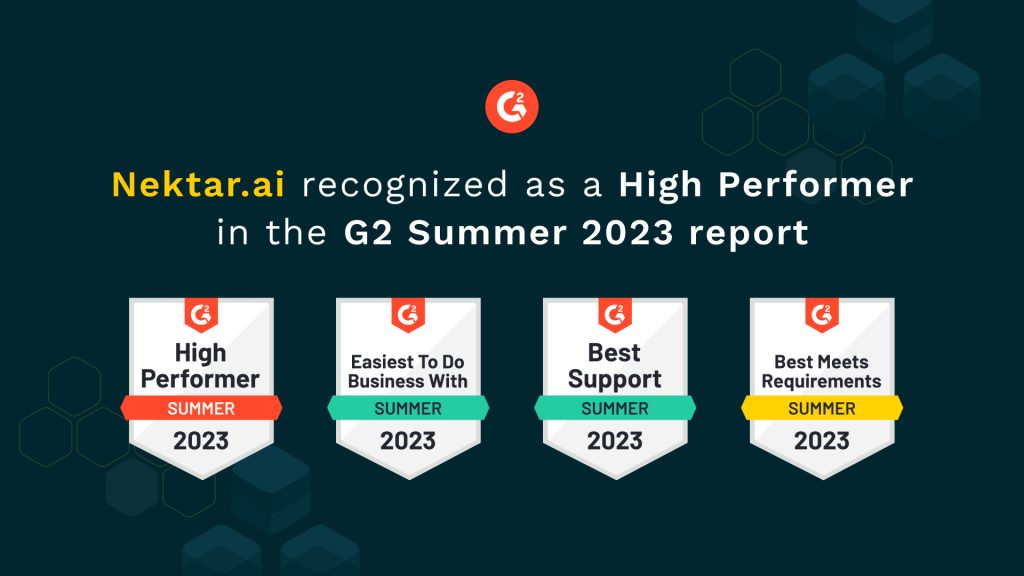
Nektar.ai Recognized as a High Performer in G2’s Summer 2023 Report Celebrate Nektar.ai’s success! Explore why they’re a High Performer in G2’s Summer 2023 Report. Discover their exceptional offerings today. Product In G2’s Summer 2023 Grid Reports, Nektar.ai has been recognized as a High Performer in the ‘AI Sales Assistant’ category. Less than 4 quarters since our global launch and less than 2 quarters since we’ve been listed on G2, this is a testament to the value and impact our customers have experienced with Nektar. Being an AI-enabled revenue efficiency platform, Nektar helps eliminate the problem of: Siloed revenue data across marketing, sales, customer success tools Stale, incomplete, and incorrect contact and activity data in Salesforce Broken visibility and monitoring of the customer journey and lifecycle (because of the data siloed in function-specific tools) Navigating multiple dashboards and spreadsheets to get meaningful insights Outperforming the Average Rating Across Every Parameter Nektar is one of the few solutions in the category that has outperformed the average rating across all parameters. 100% agreed Nektar offers high-quality customer support (category average 96%) 100% affirmed Nektar is easy to do business with (category average 96%) 99% believe Nektar met their business requirements (category average 95%) 98% said Nektar is easy to set up (category average 94%) 97% agreed Nektar is easy to use (category average 95%) 96% said Nektar is easy to manage (category average 95%) What our Customers Say What our customers love about Nektar: Nektar filled in a major gap when migrating from Hubspot to SFDC by retrieving historical emails. Instead of starting out w/ bad data in SFDC, we had extremely accurate activity and contact data. Beyond that, Nektar captures all email communication in SFDC without requiring a plugin or our reps to take any action. No longer do we have to remind reps to log things or instruct them to download a plugin. – Ben K., Director of Sales, ArmorCode Nektar.ai has been a game-changer for us in terms of capturing and utilizing buyer and activity data to make better decisions and close deals faster. – K. Hastu, Vice President of Growth, MoEngage The fact that our Salesforce today is filled with contacts and activities that would have been otherwise remained buried in inboxes and calendars is a gift. All this with zero need for adoption – literally, nobody in Zluri had to do anything. This powerful automation by Nektar is remarkable. – Rohit R, Marketing, Zluri Nektar offered a more direct sync into our CRM that was less error-prone and didn’t require setup by our customer-facing reps. Thanks to the historical sync, we saw Day 1 benefits across functions and systems. – Alex Dyson, Senior Manager of Revenue Operations, Signifyd Nektar came in and automated data capture, preventing data leaks and saved hours of sales reps’ time, thus enriching the database and leading to better insights that we can trust. – Manohar Nandigam, Sales Enablement Lead, MoEngage Inc What problems is Nektar solving for its customers? Nektar has allowed us to make more informed decisions and unlock the true potential of our sales pipeline. – K. Hastu, Vice President of Growth, MoEngage We were dealing with a significant leakage of our activity data in our CRM and Nektar helped add 3000+ activity and 150+ contacts during our seamless onboarding process, without any user adoption needed. – Bryant Krieger, Director of Revenue Operations, Archipelago Getting all of our Prospect and Customer data into Salesforce.com. Nektar helps fill in our data gaps which saves us valuable time. In the past, I’ve seen sales teams struggle to update Salesforce.com, Nektar makes capturing every Contact and Activity simple for us via automation. No more waiting on sales reps to update Salesforce! – John Aguilar, Senior Director Sales Operations, Lily.ai Nektar helps to get all the buyer data into Salesforce and fills in the gaps that would have taken 50+ weekly revenue-generating productive hours from the sales team on a weekly basis. No more waiting on anyone to update Salesforce! – Karthik Rajaram, Senior Sales Operations Manager, MoEngage Inc With Nektar we were able to identify 2000+ contacts that was buried across communication channels and 70% of our buyer activity got added back to SFDC. – Raghu R., Sales Ops Manager If you’re solving for revenue leaks and struggling with bad CRM data, you need Nektar. Come talk to us. In this blog

How to grow to 10 Mn ARR faster! Master the art of accelerating growth to $10M ARR smoothly and avoid common pitfalls on your startup journey! Sales Sales Leadership You started with a great idea, managed to put the funds and founding team together, went through weeks and months of burning midnight oil, endless iterations, deep frustrations and necessary pivots. You have reached a point where you are now part of the lucky few (less than 10%) startups that hit that elusive product market fit and potentially graduate from seed to series A stage. You are looking to move up the gear now and push the growth pedal. Perfect! Nothing seems to be in your way and you are nearing that definitive $1Mn ARR mark, that seemed “impossible” at some point in time, and can’t wait to scale your business to a 10X from there. You see the demand for your product, you see the opportunity ahead. Boosted by the success you have had so far in building the product and your team, you want to accelerate the rocket ship, but a lot can go wrong as one pushes this growth pedal. There is a treacherous path that awaits you, what you do now can easily turn the intended blitz scale into a blitz fail. What not to do? Lose focus & spread yourself thin! #1 biggest mistake founders make at this stage is chasing new shiny things that they see or get introduced to, be it new market segments, new categories, new areas where you have zero or almost no traction. It’s easy to get swayed in trying a lot of things to grow faster and lose the focus which got you to your product-market fit. We all want to grow faster. Almost none of the founders and their investors are happy with the monthly growth rate once they hit the $1Mn ARR mark. And that’s when mistakes happen aplenty. Skip stages & put fire on fuel! A lot of founders skip stages to hit the $1Mn mark faster. The number is not as important as the learning and experience in identifying the problem that resonates with the customers and users and solves them in a way that’s differentiated from other options out there. The point to push the growth pedal will come soon but before that one needs to be able to create a scalable sales playbook and processes which are backed by a solid understanding of your customer’s needs, where and how to find your customers, how to approach them, how to engage them in a conversation, gain a deep understanding of the value offered, and the ability to help solve a customer’s problem. Scaling too soon will result in putting the fuel on the fire. The proven route to scale from $1Mn to $10Mn efficiently! Double down on what is working. Period. If SMBs are your core, stay there, at least until $10m ARR. Do not chase customer segments where you have zero, or only a token, traction. It’s too late to make these segments work as you’ve already established your initial, organic customer traction and segmentation. Segment & analyze your customer and put proportionate effort into your customer segments that work. Break your customers into say small, medium and larger segments and calculate the revenue breakdown. If 50% of your revenue is smaller customers, 30% medium and 20% large, align your energy and efforts proportionately. Go with your solution to similar customers who have the same “Hair on Fire” problem that you originally solved to hit the product market fit. Optimize effort of your resources on what matters most. Align your marketing budgets, product time, development resources, sales headcount in line with the proportion of business from successful customer segment and the identified sweet spot. Don’t go after super enterprise customers if that’s not your core. Same way, don’t go for a freemium model if that didn’t work before $1Mn ARR. Don’t get distracted. Adding anything new that did not work before is just going to distract everyone now. Continue to do Step 1. Invest in customer success: Go all-in on customer success. Get your net promoter score above 60. Done well, customer success will become the second-order revenue and convert your startup into a mini-brand that drives revenue acceleration. Make your existing customers happy and they will both buy more from you, and get you more customers. Hire a real management team. Every startup hits a wall around $4-$5 Mn ARR and it’s needed to have your VPs join in by this time. In term of the sequence, hire a VP Marketing definitely before or by the time you hit $1Mn, followed by VP Customer Success, VP Sales, VP Product, VP Engineering, VP Finance. As a rule of thumb, get a VP for an additional $1Mn in ARR is a safe strategy. Always be looking for great candidates, spend 20% of your time on hiring. Raise prices, definitely for the new customers while you grandfather early adopters(get them to give you references, reviews and testimonials). Your value delivered goes up and thus should be your price. Most startups have a problem with their product being underprice until they hit $1Mn ARR. Justify the premium pricing you would want your new customers to pay by becoming a stronger brand, delivering better value and offering a wider feature set. Move to value selling model. Measure what works & what doesn’t. Build an operational cadence and rigour to run all initiatives and functions through data. You will get a lot of questions answered if you look at data first. Get others in the team to do the same. Align the team on strategy: Set ambitious goals but make sure you align the whole company behind that. It’s important to maintain the culture of transparency and support with your team while you get onto the scaleup journey. Build foundation pillars. Make sure you can transition to self-serve solution which is sales assisted and not get onto the debate of self serve vs sales assisted. Providing a great
Discover Hidden Revenue by Restoring Salesforce Historical Data Missing historical data from Salesforce leads is a big pain. Discover how you can restore your Salesforce historical data with this guide. Salesforce 2023 is transforming how businesses approach ‘growth’. For the last 10-15 years, capital flowed freely. Businesses received funding effortlessly. The only focus was ‘growth at all costs’. Profitability was only considered during the very late stages or when preparing to go public. But today, with capital becoming expensive, there’s a shift in mindset when it comes to ‘growth’. Businesses, big and small, new and old, are being measured on capital efficiency. There’s a tremendous focus on ‘efficient growth’. And how does efficiency work? Efficiency works on the concept of doing more with less. This is exactly why companies are focusing more on customer success-led growth and account expansions to achieve efficient growth instead of traditional sales and marketing channels. However, there’s yet another channel that is being overlooked – a company’s Salesforce historical data. Unfortunately, most of this data is either missing, incomplete, or outdated. The Problem of Missing Salesforce Historical Data GTM data should be available in your Salesforce CRM. However, a major pain point that businesses often encounter is the incomplete availability of data in Salesforce. While it is crucial for all essential information such as contacts, emails, and meetings to reside in Salesforce CRM, 50-70% of this data is frequently missing. There are several reasons contributing to this issue. Firstly, customer-facing teams are typically not incentivized to update the CRM beyond their primary goal of generating leads. Consequently, they may neglect to input crucial details and updates into the system, leading to gaps in the data. Secondly, although there are existing tools designed to assist businesses and customer-facing teams in capturing activity, they vary in their level of automation. Some tools are fully automated, while others are only semi-automated. However, since activity capture is not the primary focus or “hero product” of these companies, the functionality of these tools may be limited. As a result, not all data is captured, leading to incomplete information and missing data. Lastly, as businesses grow and teams expand, the amount of missing data becomes even more significant. For instance, if one person in the team fails to add data to Salesforce, there will be a certain amount of missing data, let’s call it “x”. However, if the team expands, and there are now five people who neglect to input data, the missing data increases to five times “x”. This accumulation of missing data over time creates substantial Salesforce historical data gaps, which can hinder decision-making processes and prevent businesses from leveraging valuable insights. Restore your Salesforce Historical Data with AI and Automation Given this looming problem of missing data, the real question is – Can Salesforce track historical data? Absolutely! Nektar can help you restore your Salesforce historical data in the following ways: 1. Salesforce Historical Data Sync Nektar’s Historical Data Capture capabilities provide businesses with exceptional control over their buried historical contacts and activities in Salesforce. From the moment of implementation, users can select their desired time period and effortlessly restore relevant historical data, unlocking a treasure chest of insights. Typically, Nektar helps restore 4-6 times more contacts and 5-10 times more emails and meeting data in the CRM – and this is offered as a ‘welcome gift’ on day 1. The historical data captured by Nektar plays a pivotal role in reviving closed-lost and dropped opportunities. Marketing teams can run more effective account-based campaigns by accessing accounts filled with first-party, pre-engaged contacts. Sellers, especially those who recently joined, benefit from increased context and contacts for every account, even if they weren’t previously managing those accounts. Furthermore, the historical data enables the identification of success patterns and opportunities for process optimization. Nektar empowers businesses to answer critical questions such as the number of contacts required to win a deal, the engagement level of buyers in each deal, essential personas or job titles for winning deals, and the number of meetings it takes to secure a deal. Whatever insights customers require, they can be captured within their data-packed Salesforce, powered by Nektar. Check the gaps in your salesforce reports, with an no-obligation free CRM scan report. Scan my CRMDownload Sample Report 2. Time Travel Nektar also helps customer-facing teams restore historical data ‘on demand’. We call this ‘Time Travel’. For example, let’s consider Jane, an Account Executive from SellMore, who prospects Molly for Acme and creates an Account in Salesforce. Through Nektar, Molly is automatically added to the account. However, Nektar goes beyond that. It creates four additional contacts associated with Molly, along with emails exchanged in 2021. Among these emails, Jane discovers the name lee@sellmore.com, an ex-SellMore AE whom she doesn’t know. Nonetheless, Jane gains valuable insights about the Acme account by accessing these pre-engaged contacts. This additional context and access to contacts increase Jane’s chances of winning the deal. Nektar’s AI-driven Time Travel feature identifies contacts and activities related to the Acme account that remained buried in the inbox and calendar of an ex-employee. Nektar’s AI retrieves this data on-demand and seamlessly integrates it into the Acme account. This empowers users with enhanced context and more contacts to effectively manage their accounts. Notably, Time Travel by Nektar is not restricted to the time period defined for Historical Data Capture. Whether Salesforce Historical Data Capture was configured for 2021 to present or any other range, Time Travel can retrieve data from before 2021, reaching back to the initial implementation of Salesforce in the company if required. Tap into your Salesforce Historical Data for Efficient Growth Nektar’s Historical Data Capture capabilities offer businesses a powerful solution to address the pain points associated with missing data in CRM systems. With Nektar, companies can regain control of buried historical contacts and activities in Salesforce, unlocking a treasure trove of insights and experiencing ROI from day one. By restoring Salesforce historical data, businesses can revive ghosted or closed-lost deals by accessing pre-engaged, first-party contacts associated with those accounts. Nektar

A Revenue Leader’s Guide to a Successful SKO 2025 Sales 10 min As revenue leaders, you must be busy preparing for your Sales Kick Off (SKO) for 2025. With so many challenges being carried forward from the last two years, are you wondering what a modern SKO might look like for the coming year? The approach you take must communicate your go-to-market strategy for the year ahead, and set up your sales reps for success. To make this happen, you will have to address some of the most pressing challenges that your sales reps face. In this article, we have compiled top tips from 15 revenue leaders on what they plan to do differently for their SKO 2025. These are the top use cases these leaders plan to focus on. We believe it will be helpful in making your next SKO a game-changing event and will help you drive your revenue acceleration plans. 1. Understand who your reps are speaking to and at what stage Your sales reps probably speak to multiple prospects on a daily basis. However, the most initial prospects might not always be the most valuable when it comes to closing deals. As the sales cycle proceeds, it’s not uncommon for different personas or buyers to enter the conversations. The more information your reps have on these new entrants, the easier it will be for them to close deals faster. In short, your sales reps must be adequately equipped to handle dynamism with respect to buyer queries at different stages of the sales cycle. For instance, a deal might be at a later stage in the sales process, and a new persona might enter into the conversations through your email threads. This should not go unnoticed, and your system should alert on the role that this new stakeholder might play in the deal journey. Instead of being lost on new buyer personas entering the sales conversations, the right tool can help you figure out some of the following questions: Is the new persona valuable in accelerating my deal cycle? Does the new persona have a say in the decision-making process? Does the new persona affect my deal size? Depending on the answers you get, your sales managers can coach reps about the persona(s) that are now a part of the buying committee. They can also educate reps on how to handle the probable objections that might come with them. This way, your sales reps will be alerted and prepared to mould the forthcoming conversations with the new persona in mind. 2. Use activity data to understand if the deal is real Sales pipeline management continues to be one of the most challenging aspects of managing a sales team. While there are automation tools that have made it simpler for sales managers to create detailed sales pipeline reports, the quality of these reports might not always be of value. The key reason is sales pipeline bloating. Over a period of time, your sales pipeline might get bloated with many opportunities that are no longer viable. This happens because your sales reps might not want to eliminate any deal opportunity, even if no conversations have taken place in a long time. Your sales reps might also believe that the bigger the pipeline is, the more value it holds or creates a positive image of their selling skills for their managers. However, the truth is that these opportunities end up wasting time and resources when conversations are missing. They need to be eliminated from the pipeline so that reps can focus on deals that are actually valuable. If your sales managers have a clear picture of where the pipeline looks bloated, they can decide on how to drive predictable quarters for themselves. The activity data of the reps can be used as a leading indicator to determine which deals are real and whether the deal has a potential to be closed or not. This significantly improves the sales cycle and helps focus on deals that actually yield positive returns for your organization. 3. Monetize the value of your CRM Sales technology, such as CRM tools have become an integral part of the sales process for top-performing organisations. While CRMs solve a lot of challenges sales teams face, they also have certain limitations. Sales people spend 17 percent of their day entering data into their CRMs. This struggle to find clients, research and keep CRMs up-to-date can suck out the energy of your sales reps, leaving less time for them to spend on more strategic and revenue-generating activities. CRMs also run the risk of carrying incomplete data as manual entry is prone to error. Overtime, CRM data can also become stale and not really add any value to closing deals. Your sales reps are busy. You need to give them automation solutions that make their lives easier. According to Hubspot’s Global Sales Enablement Report 2021, leaders and managers who use automation as a part of their sales process are exceeding revenues. Automation is helping reps improve their productivity and close more deals by eliminating manual tasks from their everyday life. By automating parts of their sales process, sales leaders free up rep time to focus on selling. A system that logs all activities of your sales reps, creates contacts and updates business objects such as accounts and opportunities in your CRM without any human intervention can potentially free up five to six hours of their time per week. Nektar maintains CRM hygiene by automating the data entry process and provides timely and accurate insights on revenue activities, delivering 3 key values -100% CRM hygiene, higher win rates, and increased deal velocity. 4. Improve playbook compliance for consistent selling Poor internal processes can be the major reason causing deals to slip through the cracks. When reps from your teams communicate differently with customers, it might harm your brand’s reputation. A playbook freezes the sales process to be followed, and helps create a strong foundation for your teams. An HBR study found that 50 percent of high performing sales organisations had sales processes that were closely

10 Tips for Efficient Pipeline Tracking RevOps 10 min When times are tough, you need twice as many opportunities to close one deal. And to get more opportunities, you need quality prospects. A sales pipeline can give you an overview of what your selling cycle looks like. But how do you zero in on the right deals? How do you know they won’t fall flat a month down the line? Meticulous pipeline tracking is the answer. It brings sales reps closer to the moment of truth – will the deal close or not? Let’s get started. What is Sales Pipeline Tracking? Pipeline tracking puts every deal under the scanner. It tells you how each one stacks up in terms of revenue potential – which deals are likely to convert, by when, and what stage they are currently in. Reps can then work backward from the goal and focus on the ones that will give them the best chance of hitting quota. Let’s understand with an example. Let’s say your conversion rate for the month is 12% on a pipeline worth $1 million. To achieve a quota of $300,000, you will need to double the number of opportunities you have lined up. Many people think the sales pipeline and sales funnel are the same. There’s a difference, and it’s this: Sales pipelines represent the sales cycle from the seller’s perspective. Sales funnels visualize it from the other side – the customer’s perspective. Related Resource: 5 Ways to Improve Your Sales Pipeline Visibility With sales pipeline tracking, you can: Pinpoint lagging deals and take steps to revive them. Estimate how many deals are likely to close in the next month or quarter. Analyze sales productivity by individual or team and see if they are doing the right activities. Share actionable advice on the best way forward. Make deal forecasts more accurate Identify opportunities for sales optimization What are the Components of Pipeline Tracking? Pipeline tracking has three key components: 1. Opportunity Stages These stages show the relative position of a deal since entering the sales funnel. 2. Conversion Rates This is the rate at which leads turn into opportunities and opportunities into sales. 3. Pipeline Value This is the total dollar value of the pipeline as a whole. It represents the total revenue potential of every active opportunity. 10 Tips for Efficient Pipeline Tracking For pipeline tracking to be effective, sales teams must: 1. Define the right pipeline stages Pipeline stages like ‘closing’ or ‘negotiation’ can be confusing for reps in the middle of a busy day. To be fair, many sales managers use the default stages available in Salesforce or other tools. But this ends up affecting pipeline visibility, forecasting accuracy, and revenue numbers. The key is to: Be as specific as possible when describing each stage. For example: ‘first call – no answer’ or ‘quote sent for approval.’ Make sure that pipeline stages relate to the sales process. Have a limited number of deal stages – no more than 7. 2. Define clear exit criteria for each stage Now that we’ve defined our pipeline stages let’s think about the exit criteria for each. You can do this through a series of Yes/No questions based on the status of an account. Depending on the deal stage, a few good questions could be: Has the rep qualified the customer by asking relevant questions? (Needs Analysis stage) Is the rep in contact with the economic buyer or the champion? (Initial Meeting/Needs Analysis stage) Has the customer confirmed they’re OK with the proposal/ mutual action plan? (Proposal stage) Has the customer agreed to sign the contract? (Negotiation stage) Clear exit criteria enable reps to move deals from one stage to another with ease. Why not specify review criteria so reps can clean up their pipeline too? You can benchmark the average closing time per rep and then track the following: The number of days a deal has been open The number of days since the last activity The expected close date mentioned by the rep In any case, tell your reps to reach out one last time before dropping a lead. You never know if they might have a future requirement. 3. Define the right pipeline metrics Pipeline metrics play a key role in setting KPIs and sales quotas based on the goal. Some key metrics are: a. Number of new leads This is the total number of new leads entering the pipeline. Many businesses track new leads by source. Others prefer to track them at the opportunity stage. b. Pipeline value This is the total projected value of the opportunities you currently have. c. Conversion rate This includes converting leads to opportunities or closing opportunities into deals. d. Sales Cycle Length This represents how long it takes your reps to finally close a deal. Other key pipeline metrics include: Annual recurring revenue Average revenue per user Average deal size Pipeline velocity Related Resource: 15 Sales Metrics You Must Track 4. Streamline lead scoring Why do some opportunities score high but don’t convert? And what about opportunities you didn’t pay much attention to but ended up closing? If this happens too many times, it could be a sign that reps are not qualifying leads enough. And this could create bottlenecks a couple of months down the line. Review your lead scoring criteria – plus the lead qualification methodology. This can help focus on opportunities with the best potential for closing. 5. Prioritize pipeline reviews Many sales managers focus all their attention on late-stage (negotiation) deals. And that’s important from the revenue point of view. But sales reps do need a big-picture view of the pipeline as a whole. Pipeline reviews can help identify the winnable deals earlier in the funnel and find ways to achieve quota. Managers can verify the ‘real’ opportunities and coach accordingly. Now, it’s not possible for busy sales teams to have pipeline reviews every day. But managers can share pipeline reports so that reps know what’s going on. Beginning of the 90-Day Phase: Vision and Execution 6. Customize Salesforce
7 Salesforce Reporting Tools to Consider in 2026 RevOps 10 min Salesforce reporting tools are vital assets for businesses that want to go beyond just acquiring leads and closing deals. These comprehensive solutions are a game-changer for sales leaders who want to ace their sales and customer relationship management. Salesforce reporting tools also enable data-driven decision-making, which is a must-have for a successful business. If you are looking for a reliable reporting tool for Salesforce, you are in the right spot. This article will explore the top seven options offering various features and salesforce reporting capabilities to address your reporting needs. So, let’s get started. What is a Salesforce Reporting Tool? Salesforce‘s reporting tool is a data reporting software that helps extract, organize, and analyze data from the Salesforce platform. The platform provides users with functionalities to transform raw data into meaningful insights. As a result, it helps businesses make informed decisions, track performance, and drive growth. Salesforce reporting tools offer varied capabilities to cater to diverse reporting needs. They empower users to create customized reports and dashboards, visualize data in various formats, and drill down into specific details for deeper analysis. These tools also integrate seamlessly with Salesforce’s data model, allowing users to leverage the full potential of their sales data without the need for complex coding or technical expertise. 7 Salesforce Reporting Tools for 2026 Let’s look at the top Salesforce reporting tools in 2026 you can consider for your business: 1. Tableau Tableau is a powerful Salesforce reporting tool that offers seamless integration within the Salesforce ecosystem. With its built-in reporting module, Tableau allows users to connect directly to Salesforce data and create interactive reports. Tableau’s ability to embed visuals directly within the Salesforce application sets it apart, providing users with a cohesive experience. Moreover, data can be securely passed back and forth between Tableau and Salesforce, ensuring the confidentiality and integrity of your data throughout the reporting process. Key features: Full information availability Self-service analysis and visualization Data blending Knowledge and skill sharing 2.G-Connector G-Connector bridges the gap between Salesforce.com and Google Spreadsheet, enabling efficient data exchange between the two platforms. With G-Connector, users can effortlessly connect their Google Spreadsheet to Salesforce.com, allowing manual and automatic data synchronization. The versatile tool offers multiple methods to create data snapshots in Google Sheets, ensuring flexibility and convenience. A standout feature of G-Connector is the ability to set up a shared Google spreadsheet, enabling the Sales team to enter and update sales data in one central location easily. Key features: Automatic data exchange Snapshots of Salesforce data Single shared Google spreadsheet Notifications for team members 3. Jotform Jotform is a supercharged online form builder that offers a number of subproducts and features, eliminating manual data entry and automating your workflow. It makes generating Salesforce reports effortless by allowing users to collect data and create beautifully designed dashboards & dynamic reports – all automated and ready to go at any time. Jotform also offers a handy analytics tool so you can keep track of where you are with your projects easily. Key features: Dynamic reports and dashboards Analytics and visualization Integrations to automate other apps including Salesforce Building complex workflows with approval flows 4. Klipfolio Klipfolio offers a cloud platform app for building real-time business dashboards. Users can create highly customized dashboards with tailored metrics and data visualizations fueled by multiple data sources, including Salesforce. The tool connects businesses to hundreds of data sources, ensuring comprehensive and up-to-date reporting. The beauty of Klipfolio lies in its flexibility and accessibility, as the dashboards can be monitored from anywhere, on any device. As a result, Klipfolio enables businesses to gain real-time insights and easily make data-driven decisions. Key features: Flexible data connection Highly customizable metrics and data visualization Data mashups Publish data to TV wallboards Pre-built content 5. Conga Composer Conga Composer is a robust Salesforce reporting tool that empowers businesses to create error-free, templated digital documents directly within Salesforce. The application automatically populates richly-formatted templates with data from Salesforce. Businesses can effortlessly generate reports, proposals, contracts, and other important documents, saving time and ensuring accuracy. In addition, seamlessly merging Salesforce data into customized templates streamlines the reporting process. It enables businesses to create professional documents easily. Key features: Generate documents in multiple formats Store documents wherever possible Accurate, consistent, pixel-perfect documents 6. Smartsheet Smartsheet is a Salesforce reporting tool that aims to increase the productivity of sales teams. It also enhances visibility into sales operations while maintaining the established workflows. With Smartsheet, collaboration and sharing become effortless across both Salesforce and non-Salesforce users, eliminating the need for manual data exports to spreadsheets. The tool streamlines the reporting process by enabling auto-synchronization between Salesforce and Smartsheet. It eliminates redundant steps and allows teams to manage their pipelines efficiently. Key features: Synchronize Salesforce data to Smartsheet to make bulk changes Set criteria for real-time alerts Real-time data with advanced sharing across teams Auto-synchronization between Salesforce and Smartsheet. 7. InsightSquared InsightSquared offers several advanced features to enhance your sales operations. With real-time updates, InsightSquared’s RevOps dashboards provide immediate access to critical data. As a result, you can stay on top of your business performance in real time. The tool’s Activity Capture feature generates insightful reports on your team’s activities and seamlessly shares the data. In addition, automated activity tracking eliminates the need for manual updates, boosting your sales team’s productivity. Key features: Real-time updates of RevOps dashboards Activity Capture Analytics and visualization Current Challenges in Salesforce Reporting Let’s explore some of the challenges in Salesforce reporting and how you can overcome them: 1. Data complexity and integration Sales data can originate from various channels, including CRM systems and marketing platforms. Integrating and consolidating this data into a cohesive reporting framework can be daunting. Organizations must invest in robust data integration solutions and ensure data quality and accuracy to overcome this challenge. 2. Manual and time-consuming processes Many businesses still need to rely on manual processes for sales reporting, which can be time-consuming and error-prone. Extracting data from multiple sources and creating
Everything You Need to Know About Revenue Forecasting RevOps 10 min As much as 80% of sales organizations miss the mark on revenue forecasting by 25% or more. That’s a particularly worrying number, primarily because of 3 reasons: Global volatility and economic downturn Complex buyer journey and sales processes Added pressure on revenue leaders to deliver predictable growth A revenue forecast serves as a guide to achieving realistic revenue goals to tide over unpredictability. This exhaustive guide lays down everything you should know about revenue forecasts and how to do them right, including: – What is revenue forecasting? – Why is revenue forecasting important? – What are the key foundations of revenue forecasting? – Accurate Forecasting Using Revenue Forecasting Models If you’re short on time, here’s a quick summary of this blog: What is Revenue Forecasting? Revenue forecasting predicts how much revenue your business may earn for a certain period. It uses historical data to make educated speculations about the potential revenue. Contrary to common assumptions, revenue forecasts aren’t based solely on quantitative data. They’re also enriched by qualitative data. To sum it up, revenue forecasting models answer the key business question: How does your current performance take you where you want to go? It’s not unheard of, even in SaaS circles, to confuse revenue and sales forecasting. But there are 3 key differences you must know if you want to build accurate forecasts. Why is Revenue Forecasting Important? A revenue forecast gives you, quite literally, the “foresight” to see what the future brings. Here’s how you can benefit from it: 1. Know expected revenue & budget Revenue forecasts give you insight into how much money you can expect to generate from product sales. This, in turn, will give you the information to set up budgets for RevOps and other teams. On the other hand, you can also track expenses for the period and optimize your cash flow. 2. Strategize growth You can strategize with key stakeholders by figuring out your expected revenue and budget. These meetings throw light on what actions you can undertake to increase earnings. Two-thirds of businesses consider revenue process optimization important to achieving customer retention goals. Whereas 63% think revenue strategy is important for adapting to new market expansion. Revenue forecast provides the basis of growth strategy showing you: How quickly can you scale What will be your future expansion in terms of earnings, expenses, and markets How can you set and adjust revenue goals to bridge gaps between predictions and real-world performance 3. Set appropriate long-term goals Other than business goals, you can use revenue forecasts to set other long-term goals for marketing campaigns, software purchases, and resource allocation. For instance, they can be used to decide how much staff you will need in RevOps teams and how many resources you must hire corresponding to each function. 4. Make informed decisions Revenue forecasts ensure you’re not caught off guard in unpredictable times and can make data-backed decisions with accurate analyses. For example, while preparing a forecast, you may find that sales for June-July 2022 were lower than the rest of the year. The first thought would be to attribute this to seasonal demand. But if you know how to forecast revenue, you dig deeper into the data. Then, you find the underlying reason–your sales head left the company during this time. You can decide not to base next year’s forecast on the same numbers in June-July 2022. 5. Helps secure funding Revenue forecasting is responsible for your organization’s general profitability. To secure funding, you can make serious financial projections (including the profit & loss statement and cash expectations). Investors look at these numbers and decide whether to invest in your business. Now that the benefits are on the table, you can understand more about what is revenue forecasting and how to create one. To begin, we look at its key foundations. Key Foundations of Revenue Forecasting To understand further why revenue forecasting is important, you must take great care in maintaining these 3 foundations: 1. Revenue goal Revenue goals are realistic financial targets that improve business growth. These targets or goals must be based on actual market data, not gut data. 2. Revenue pipeline Your revenue pipeline includes active, upcoming, and prospective deals. It acts as a map to show where prospects and existing customers are placed in your sales funnel. The pipeline is where your leads turn into customers and is, therefore, the primary revenue source. 3. Product delivery You must track and manage the delivery of your product or solution. This includes monitoring: How much of each contract is earned How much of it is due in the future It also covers the management of customer payments and lowering customer churn due to poor delivery. How to Forecast Revenue Using Models Businesses primarily use 4 revenue forecasting models. We’ve discussed each one below. 1. Straight Line Revenue Forecast The simplest of all models, straight line revenue forecast, uses historical data to project revenue growth for a specific period. It typically assumes that the previous year’s growth rate will remain the same for the next. The method first determines the revenue growth rate and then calculates forecasted revenue. The formula is: Current Revenue (1 + Growth Rate / 100) = Revenue Forecast Let’s break this down with an example. If you’re experiencing a revenue growth rate of 30% in 2022 with current revenue at $100,000, your forecasted revenue for 2023 will be: 100,000 (1 + 30 / 100) = $130,000 Given its simplicity, the straight line model works best for startups or companies preparing their first revenue forecast. A few major drawbacks of this method are that: It assumes the growth rate will remain constant It doesn’t factor in macroeconomic changes 2. Weighted Moving Average Revenue Forecast The model considers moving averages of historical data to create a forecast. Most commonly, businesses use 3 and 5-month forecasts. But feel free to explore, experiment and use this for as short as 1 month, too. You must add weights to each average to build a more accurate revenue forecasting model. For example, the revenue for Q1
10 Best Sales Forecasting Tools to Consider in 2025 RevOps 10 min Imagine going on a sailing expedition without any knowledge of the sea conditions or a map to guide you. Sounds scary, right? Just as a skilled sailor carefully studies the currents, weather patterns, and landmarks to plan a successful course, salespeople in today’s ever-evolving sales landscape must harness the power of data, market insights, and strategic foresight to sail their businesses toward success. But wait, let us give you a shocker. By 2025, over 90% of B2B enterprise sales organizations will continue to rely on intuition instead of advanced data analytics. The consequences of using intuition are pretty obvious – inaccurate forecasts, broken sales pipeline, and unfulfilled quotas. Now, if you want to become a part of the 10%, having the right sales forecast tools in your tech stack is important. And we know how hard it is to add tools to your business’ tech stacks without extensive research which is why in this article, we have put together the top 10 sales forecast tools you can choose from. What is Sales Forecasting? Sales forecasting is the process of estimating future sales of a business based on historical data, market trends, and other relevant factors. It involves analyzing past sales performance, considering market conditions, and making predictions about future customer demand and purchasing patterns. The goal of sales forecasting is to help businesses with: Anticipating customer demand, allowing them to align their production, inventory, and resources accordingly Aiding in budgeting, financial planning, and setting realistic sales targets Strategic decision-making, including product development, marketing campaigns, pricing strategies, and expansion plans Evaluating performance, identifying gaps, and making adjustments to achieve sales targets Identifying emerging trends, market opportunities, and potential threats, enabling them to make proactive strategic moves Providing a basis for setting sales targets, incentivizing sales teams, and monitoring individual and team performance Enhancing investor confidence by demonstrating a clear understanding of market dynamics, growth potential, and the ability to generate future revenue What are Sales Forecasting Tools? While we just learned what sales forecasting is. And there are tools available in the market to do just that. Sales forecasting tools are platforms that assist businesses in predicting and analyzing future sales performance. These tools utilize advanced data analysis techniques, algorithms, and statistical models to provide accurate and actionable sales forecasts. Common features found in good sales forecasting tools are: Pre-built or customizable forecasting models Interactive dashboards and visual representations of forecasts Scenario analysis and historical analysis Collaborative features and performance tracking Real-time updates and integration capabilities Reporting and analytics Top 10 Best Sales Forecasting Tools to Consider in 2025 Now, we will get straight to the point. After screening through the zillions of sales forecasting tools in the market, we have curated the top 10 out of them. Time to sit back with a notepad and a pen in your hand. 1. Nektar Nektar is an AI for RevOps platform that helps revenue teams get a true view of their CRM data, allowing them to make data-driven decisions and optimize their sales process. Nektar can integrate with any existing GTM (Go-to-Market) tools, so sales teams can use it in conjunction with their current sales stack. By leveraging AI-powered analytics, Nektar provides real-time insights into the sales pipeline, enabling sales teams to identify bottlenecks, opportunities for improvement and forecast their sales accordingly. Key features of the platform are: Automated tracking of leads, deals, and pipeline metrics Collaborative forecasting & scenario planning Rules configuration Real-time notifications and alerts Historical data analysis and trend forecasting 2. InsightSquared InsightSquared is a powerful sales analytics platform that provides comprehensive reporting and dashboards. It enables accurate forecasting and pipeline management, empowering businesses with revenue intelligence and data-driven insights. With its robust tracking and benchmarking capabilities, sales performance can be optimized and strategic future decisions can be made based on actionable analytics. Key features of the platform are: Powerful sales analytics Robust reporting and dashboards Forecasting and pipeline management Revenue intelligence and data-driven insights Sales performance tracking and benchmarking 3. Gong Gong is a conversation analytics platform that revolutionizes sales effectiveness. By recording and transcribing sales calls, it offers valuable insights for coaching, training, and improving sales performance. Gong’s AI-powered technology provides deal, market, and customer intelligence, helping teams make data-backed decisions and drive revenue growth. Key features of the platform are: Conversation analytics and insights Call recording and transcription Sales coaching and training Deal, market, and customer intelligence AI-powered insights and recommendations 4. Nutshell Nutshell is a user-friendly CRM platform that offers robust contact and lead management. Its intuitive interface simplifies sales pipeline tracking, enabling teams to manage deals effectively. With seamless email integration and automation, businesses can streamline their communication. Nutshell’s sales analytics and reporting features provide valuable insights for informed decision making. Key features of the platform are: Contact and lead management Sales pipeline tracking Email integration and automation Sales analytics and reporting 5. Anaplan Anaplan is an integrated business planning platform helps businesses with scenario modeling, forecasting, and budgeting capabilities. It facilitates sales and operations planning, allowing businesses to align strategies with financial goals. Real-time data analysis and visualization drive informed decision-making, enhancing performance and enabling agile business planning. Key features of the platform are: Integrated business planning Scenario modeling and forecasting Budgeting and financial planning Sales and operations planning Real-time data analysis and visualization 6. HubSpot Sales Hub HubSpot Sales Hub is a comprehensive platform that combines contact and lead management with email tracking and automation. It provides a visual sales pipeline, assisting teams in tracking deals and managing their progress effectively. With sales analytics and reporting, businesses gain valuable insights to make data-driven sales forecasts. It also offers task and activity management for streamlined sales processes. Key features of the platform are: Contact and lead management Email tracking and automation Deal and pipeline tracking Sales analytics and reporting Sales task and activity management 7. Pipedrive Pipedrive is a visual sales pipeline management tool that helps teams track deals and monitor progress. It offers contact and lead management, sales reporting, and analytics. With email integration

Buyer Intelligence: The Secret to Reduce Customer Churn Churn carries high costs for businesses. Find out how access to buyer intelligence unlocks churn prevention secrets. Customer Success To compensate for one lost customer, you need to acquire three new ones. Believe it when McKinsey says it. Churn carries high costs with it. That’s why retention is a top priority for businesses today. Yet, churn is on the rise, with 64% of companies expecting it to increase. What’s more surprising is that the issues behind churn can be managed or resolved. And as much as 96% of subscription businesses agree. So, how can you uncover the real reasons behind churn, use buyer intelligence to reduce it, and improve growth? Let’s find out. What is Buyer Intelligence? First things first, let’s have a clear understanding of the buyer intelligence concept. Buyer intelligence analyzes past patterns to predict and direct future customer interactions. It assesses ongoing customer data gleaned from omnichannel interactions. Then, it produces insights on these customers. B2B buyer intelligence could look at a wide range of data, including but not limited to: Customer behavior Business goals Business challenges and priorities Purchase decision Successful use cases Communication Company background Segments Financial standing The beauty of buyer intelligence is that it derives this information from several channels. After doing so, it combines and drives insights. Channels include emails, meetings, product usage, service consumption, and more. Its primary goal is to enrich the CRM with complete and reliable data. This gives customer success managers (CSMs) the information to optimize future client interactions. CSMs can use B2B buyer intelligence insights to not just look at customer behavior. They can also dive further into the buyer committee. They can verify contact data and messaging patterns to reach the right stakeholder at the right time. Buyer intelligence is the key to solving emerging problems in customer experience today. Emerging Customer Success Pain Points Resulting in Churn Businesses are strategizing for resilient growth by concentrating on retention. And customer success plays a pivotal role in seeing this effort through. But as the spotlight on customer success shines bright, so do its glaring problems. Notably, the last few years have thrown up multiple issues. Some emerging pain points in customer success include: 1. Customer success rigour doesn’t match sales A singular focus on sales leads to rigorously planned workflows and playbooks. However, leaders don’t follow a similar rigor for customer success. This is despite businesses keeping client experience as their number one priority. 2. Missing engagement Customer success talks to just one person (the champion) instead of engaging with the entire buyer group. This is specifically important as buyer committees are more complex today. 82% of companies say that difficult purchases involve two to nine departments in the client’s company. Other times, CSMs engage with the top 10% (best-performers) and lowest 10% of clients (at high risk of churn). But they miss the remaining customers. These left-out customers could have the potential to become a bigger account (expand) or feel overlooked and leave (churn). 3. Inconsistent information At times, customer success doesn’t know what is happening in the client’s organization. They possess information that is incomplete, inaccurate, siloed, or non-compliant. As a result, CSMs don’t know how to use the available information to strategize the next steps in the customer journey. 4. Too many tools The global customer success platforms market is expected to grow more than double—from US$ 2.07 billion in 2023 to US$ 4.35 billion in 2027. But this growth doesn’t necessarily spell a boon for CSMs. They may have too many tools to gather buyer intelligence from. And end up getting confused. They may not know how to apply these tools to monitor customer behavior. Nor will they know how to help clients make the most of your solution. On the other hand, these tools may also need extensive manual inputs. It becomes overwhelming for CSMs to keep up with the tools alongside other responsibilities. 5. Impersonal client interactions As a result, CSMs can’t personalize communication for each account. Instead, they send generic messages and content for ongoing offers and new features, among other updates. As much as 65% of customers don’t like the impersonal approach, expecting companies to adapt to their evolving preferences. 6. Ineffective renewals Because CSMs don’t have complete information on clients, they hold renewal conversations closer to the due date. There’s no communication or relationship-building activity beforehand. At this time, if you decide to increase costs without an intimation well in advance, customers may be discouraged from continuing with you. The above pain points present a picture of ineffective customer success. What, then, is the effective version? What Does Valuable Customer Success Look Like? Effective customer success is when customers find value in their relationship with your business. And this value is strong enough for them to stick around. Customers assess value by determining their success since deploying your solution. They also look at the experience of working alongside your team. If you deliver high-value experiences to your clients, they’re 3.5 times more likely to advocate for you. But what could CSMs do differently to achieve this feat? Effective CSMs use buyer intelligence to: Work with customers (not despite them) and Understand each buyer’s pain points, business goals, and KPIs. They give customers the resources to be effective, achieve business goals, and feel confident in growth. They don’t create strategies around short-term wins. They also optimize for long-term, sustainable growth. You’ve seen the power of effective customer success. Now, let’s find out how you can build valuable relationships and reduce customer churn using buyer intelligence. The Role of Buyer Intelligence in Reducing Churn B2B buyer intelligence deliberately uses insights gathered from clean data to nurture customers. It enables them to grow with your business, encouraging the customer to associate their success with you. Here are six ways in which buyer intelligence could reduce churn: 1. Single-threaded to multithreaded accounts Poor quality data leads to 56% of CRM users losing existing customers. Owing to incomplete information, CSMs may know who is the day-to-day point of contact. However, they may not know who is involved in deploying and using

10 Key Traits to Look Out For in Your Next Sales Representative Sales 10 min When it comes to recruiting a sales representative, traits trump competencies. Traits are unique characteristics in a rep’s personality. Competencies or skills can be developed over time through training, mentoring or coaching. However, the right traits take long periods of time to develop, and training or coaching might have very limited impact in enhancing them. For example, for a sales rep job, a candidate can learn skills such as “product knowledge,” “presentation skills” or “business writing” once hired. But traits such as “self motivation” or “accountability” might not be learned on the job. These are traits that need to be a current part of their personality. Having the right set of competencies can be a great add-on. But having the right traits while hiring is non-negotiable. When you hire for your sales reps, dive deep into their personalities to figure out their unique traits, and if they can translate to the sales environment. Let’s see what are the top traits you must look for when hiring a sales representative. 1. Hunger Hunger refers to the burning desire to do anything that it takes to achieve one’s goals. This is a trait that needs to come from within the sales representative, and goes a long way in establishing relationships and closing deals. Hunger is defined by the “why” of getting into sales. Is it just money, or is there a larger goal they want to achieve for themselves? For some, it may be providing for their family, for others it may be financial stability. Whatever that end goal is, it will push them towards bringing their best version to work every single day. As Tony Robbins puts it, “Hunger will destroy that fear of failure.” When sales reps have an innate hunger to make it in sales, they are always ready to hustle and roll up their sleeves to get the job done. Hunger offers that platform for ambition to take off from. If there is hunger in sales reps, they will be motivated to close more high-value deals, face obstacles head-on and walk that extra mile whenever needed. 2. Coachability Coachability is a key contributor to the success of sales reps. A sales representative is coachable when they are open to being taught and trained as they progress at their jobs. https://www.youtube.com/watch?v=OSI_OSEpot8 Abhijeet Vijayverigiya, CEO at Nektar.ai says, “I look for a strong intent to learn. It’s very important for sales reps to have that learning ability. Even if you don’t know the product, domain or the solution, you can always pick it up, provided you have the learning intent. Whenever I see this as a negative, I tend to not go for the candidate.” Top sales representatives are aware of their own performance, strengths and weaknesses. They use that awareness to continuously learn from their peers, seniors and their prospects and grow as professionals. This focus on continuous improvement to keep their skills sharp helps reps stay ahead of the curve and become “great” from “good.” Coachable sales representatives are all ears for constructive feedback, and believe in the power of mentorship from their managers. 3. Confidence Confident reps truly believe in what they sell, and most importantly the value that your product or service adds to the lives of customers. Only when reps believe that their product is the absolute best in the market will they be able to genuinely and confidently showcase that to their prospects. Along with the product, great sales reps believe in themselves and their vision. They can confidently explain how your product or service is going to solve a problem for the customer. A great sales representative also instils decision confidence in their prospects by helping them see the true value of the product they stand for. In today’s digital world, where B2B sales are happening online, the best sales reps confidently help their customers articulate the nuances of your product and differentiate it from the competition, leading to more sales. 4. Tenacity Sales is hard. The number of rejections might be higher than approvals. And that’s okay. What’s important is to stay focused and determined on the goals and carry on. Being tenacious keeps reps focused on the larger picture. Sales reps who are tenacious are always ahead of the curve. They are always trying to fill in their knowledge gaps and visualise scenarios from a customer’s perspective. They are constantly on the lookout for how they can solve their customer’s problems effectively. Because of their constant pursuit to improve and learn, these candidates are not only open to feedback, but also willing to incorporate them in making themselves better. They are always open to learning and improving their work ethic. They take accountability for their mistakes and always welcome constructive feedback. These reps demonstrate a high level of emotional intelligence and they look at challenges as opportunities to learn, improve and grow. 5. Honesty Authenticity, honesty and integrity are key traits to make a brand stand out in today’s world. The best sales reps are honest. They speak the truth, even when it is hard. They do not let their enthusiasm draw the wrong picture for their clients. They never bend the truth or exaggerate their offerings, just to close a sale. Building credibility takes time and honesty from the very beginning is what creates that level of trust among prospects. For example, if a solution does not meet the expectations of a prospect, a sales representative should not say otherwise. Giving a false timeline of deliverables without consulting the team or having certainty of outcomes can cost businesses their reputation. Great sales reps always set realistic expectations for prospects and never put their reputation at risk. They are committed to their ethics and they always choose the establishment of trust over finding ways to manage short-term profit. They act as a reliable resource, rather than plain sellers. Make sure you hire reps who abide by the principles of

5 Effective CRM Data Management Strategies CRM 10 min Having the best CRM data management strategies in your arsenal can help you prevent several revenue leakages in your business. Data interactions went up by a whopping 5000% between 2010 and 2020. With this amount of data to handle and manage, businesses need a plan of action. This is where CRM data management comes into play. In this article, we will reveal tried-and-tested CRM data management strategies that will transform your CRM into a real growth engine. Let’s get started. What is CRM Data Management? CRM data management refers to the process of effectively collecting, organizing, storing, and maintaining customer-related information within a CRM. It involves managing the vast amounts of data generated from customer interactions, purchases, inquiries, support requests, and more. These perfectly organized datasets are then used by almost all the departments of your business including sales, marketing, customer service, and RevOps. In simpler terms, CRM data management is like maintaining a well-organized library of customer information. Just as a librarian categorizes and arranges books for easy access, CRM data management involves structuring customer data to make it easily searchable and retrievable for businesses. Hold on, there’s more to it! CRM data management can bring immense benefits to your business which we will discuss now. Why Do you Need CRM Data Management? With a gazillion amount of data lying inside your CRM arises a need to manage it effectively so that you can begin harnessing its power. Here’s how organized and clean data make an impact on your business. 1. Higher conversion rates When your data is organized, you can quickly identify leads that show genuine interest in your products or services. With a clear picture of your prospects, you can customize your sales pitch and marketing efforts to address their specific needs and pain points. You will also be in a position to aptly score your leads. This targeted approach increases the chances of converting potential leads into happy customers. The increase in conversion rate can go up to a gigantic 300%. 2. Access to customer insights 44% of customers ignore unprepared sales pitches. Clean data allows you to analyze customer behavior, preferences, and buying patterns more effectively. You can identify trends, popular products, and areas for improvement. Armed with these insights, you can create personalized customer campaigns, pitches, and offers that resonate with your audience, fostering stronger customer loyalty and repeat business. 3. Higher levels of efficiency A well-organized CRM database ensures your team can access the right information at the right time. It eliminates the frustration of searching for data in different places, streamlining workflows and decision-making processes. In fact, this data accessibility can shorten the sales cycle on average by 8-14%. The efficiency boost enables your team to focus on core tasks, betters collaboration and accelerates overall team productivity. 4. Compliance and governance Keeping your data clean and up-to-date is essential for maintaining compliance with data protection regulations and industry standards. By ensuring data accuracy and security, you build trust with your customers, reassuring them that their information is handled responsibly. This trust can positively influence the image of your brand and customer relationships. No wonder, 84% of consumers are more loyal to companies that have strong data security controls. 5. Accurate sales forecasts Accurate and organized data helps in making reliable sales forecasts. By analyzing historical sales data and customer trends, you can predict future sales performance more precisely. This helps you to set realistic targets for your teams, allocate resources mindfully, and make informed business decisions to optimize revenue growth. 6. Targeted campaigns Sales and advertising departments lose about 550 hours in a year due to insufficient data. When your data is clean and organized, you can segment your audience more effectively. This audience segmentation allows you to create highly targeted ad campaigns that resonate with specific customer groups. As a result, you can optimize your advertising budget and achieve higher conversion rates with ads that reach the right people at the right time. Now that we understand the benefits of clean data for business operations, it’s time to shift our focus to the next step: exploring effective strategies for managing it. 5 Effective CRM Data Management Strategies 85% of sellers admit having made likely embarrassing mistakes due to incorrect CRM data. Are your reps also making these mistakes? Well, chances are high. But the good news is that we have reached that part of the blog where we will reveal the most effective CRM data management strategies that will not only prevent your reps from committing these mistakes but also take your CRM’s ROI to the next level. Let’s dive in. 1. Standardize data collection Imagine if everyone in your team used different formats for storing data – what a real mess it’d be. Standardizing data collection means setting s standard policy i.e. clear rules and formats for entering information. When everyone follows the same guidelines, the data becomes consistent, making it easier to work with and understand. Plus, it reduces errors and confusion, ensuring you get accurate insights from your data. For example, use standardized date formats, consistent naming conventions, contact details, and uniform categories for data entry. Also, make sure only specific people are allowed to enter data in your CRM and not all the employees so that you know who is accountable for which entry. 2. Regularly cleanse and update your data Regular reviewing and cleansing of data is important to ensure only the relevant data remains in your CRM. The aim is to keep your database neat and tidy, so you can find what you need without any hassle at the right time. Here’s what you can do. Set a schedule to review your data periodically, say every quarter as stated by Jacky Leiha, CRM expert in one of our podcasts. Look for duplicate entries and merge them, fix any inaccuracies, and delete outdated or irrelevant information. Also, create monthly exception reports. This data cleanup process keeps your database accurate, relevant, and up-to-date. 3. Integrate data from other platforms Picture your business as a puzzle with many pieces.

The 5 Biggest Mistakes to Avoid in Your Sales Playbook Getting a sales playbook right is one of the first steps to building a strong sales machine. Don’t make these 5 mistakes while building one. B2B Sales Sales Sales Leadership Sales Playbook Founders, make notes. We are here to share the biggest mistakes that are made while devising a sales playbook. A sales playbook is the holy grail that gives an end-to-end view of your sales process – from hiring and onboarding your sales team, executing your sales motion to scaling it. Your rockstar performers already have a lot of ground knowledge. Be it what questions to ask prospects at different stages or what material should be sent out to a prospect from a particular industry, they have developed the know-how to such crucial questions through their experience. A playbook lays down the set of best practises from A players – all those Eureka moments that helped close tough deals in the beginning are all documented and shared with the new reps. If new reps have access to all these do’s and don’ts from Day 1, they will be more productive and close that first deal sooner. https://youtu.be/_TomEFmIslU?si=v1MWrd-BHyxJJjIZ These learnings and strategies are the heart and soul of a playbook, and can act as a friendly mentor to any new rep joining your team as they navigate the sales process. Whether you already have a sales playbook or are in the process of devising one, we are here to share some of the biggest mistakes that make sales playbooks fail. 1. Not documenting your learnings Founders have a lot of learning in the initial days through interactions with customers, researching about the market or building the product. The playbook should include this knowledge of what has worked for the company. You won’t be able to do this overnight. But you need to start articulating it as you start seeing success in the following areas: You have a product that is solving a particular pain point Your product delights a particular buyer persona in a certain way Once you have achieved these two things, you need to start documenting your sales process. Answer some specific questions such as: How do you go about doing a solution discussion with your prospect? How do you convince the prospect of the value your product adds to their lives? How do you sell to the prospect? How do you onboard the prospect? How do you implement the product? How do you create a customer support journey post sale? List down what’s working and what’s not in every step of the sales process. For example, if during a discovery call, one of your A player figures out a particular pattern that has been aiding the move to the next step, it must make an entry into the playbook. The learnings in the journey of your sales process are unique to your organisation and the knowledge needs to trickle down to everyone else in your company. For that to happen, define your unique sales process very clearly in your playbook. Most companies fail to map out their unique sales processes, which leads to missing out on deals, or failing to follow a standardized routine for interested prospects. Without this documentation, the best practises are never known to everyone, and keep floating like tribal knowledge between the rockstars and is never leveraged by the new reps. 2. Too many floating versions Onto the second mistake – if companies do manage to build a playbook defining the best practises, there are different versions of it that keep floating around. There is no centralised process that takes care of standardising the playbook and making it universal for everyone to follow. Too many versions can create confusion and make different teams approach the product and customers in a different manner, creating a non-uniform experience for your prospects. To make sure your playbook has one single version, you will have to invest in a dedicated sales enablement function that can act as a custodian of that playbook. This team can act as that central force that not only creates the playbook, but also maintains one singular version of it so that everyone is on the same page. 3. Not evolving the sales playbook Playbooks are dynamic by nature. Just like your product matures, your GTM insights develop and the competitive landscape changes, playbooks also need to evolve along with them. But most organisations fail to evolve them. https://youtu.be/thpLYTzbe7M?si=8b6BvRgDjSsPGevw Your playbook should be tailored according to the kind of deals that you are trying to close. For example, if you are going upstream from an SMB to an Enterprise model, the playbook has to change accordingly. The same strategies that helped you close deals for SMBs will not work for an enterprise model. It’s important to evolve your playbook as your company, product and the market goes through different stages. This is the way to keep up with the competitive landscape and be ready to face turbulent times with a guide. The way to do this is to have your playbooks be centrally managed by your enablement function, who can keep updating it as the company graduates from one stage to another. 4. Lack of peer to peer collaboration Your sales reps are on the field, talking directly to customers, understanding the competition and dealing with the market. The kind of intel they develop as a customer facing function should not be limited to just them. It needs to be shared with the entire organisation. For example, the kind of documents or emails that A players are sending to prospects or the kind of questions they are asking in the calls – all of this should be documented and circulated among the new hires. Mature reps in the organization must actively participate in building and continuously contributing to your playbooks. This can be done by passing on the intel of your A players to a central team that can develop the playbook
How to Navigate the Downturn With Accurate Revenue Data How can founders achieve sustainable growth to prepare themselves for a downturn? Nektar’s CEO Abhijeet Vijayvergiya shares some advice. CRM GTM RevOps Sales Leadership “No one can predict how bad the economy will get, but things don’t look good.” This was the first point in the email sent out by the top start-up accelerator Y Combinator to its founders in May 2022. Y Combinator isn’t the only one publishing a “black swan” event memo for its portfolio companies. VC investment firm Reach Capital advised start-ups to “account for an extremely capital constrained environment, even for companies with strong growth rates.” Sequoia alerted its start-ups to cut costs or face a ‘death spiral.’ “This market could still be choppy 15 months from now. So looking at 30 months of runway is a better goal for folks to have,” warned Craft Ventures. “Reevaluate your valuation, understand your burn multiples, and build scenario plans” is the advice to start-ups by a16Z. All this comes in the light of the current downturn in the market. Geopolitical tensions, rising inflation, supply chain disruptions and other sources of market volatility has caused a shift in global businesses. Public markets have been struggling to adapt to these developments and have seen sharp corrections to valuations. The uncertainty of public markets has trickled down to the start-up ecosystem. While SaaS companies are considered less risky with predictable business models, the downturn has still plummeted tech stock valuations. Fast-moving, late-stage capital that was flushed across the ecosystem has suddenly evaporated. Most funds are watching their positions shrink in value by 40-50% in less than a year. VC Money Wells Are Drying Up As told by an investor in this article, “The firehose of money that has been pointed at these companies is going to be 70-80% smaller.” The VC market is undergoing some massive changes currently. For example, Softbank said it was pulling back by 50-75% on start-up investments. Tiger Global lost $17 billion and has almost fully invested its latest fund. The VC missives and current market conditions make one thing clear. Easy money is dead. What Does This Mean for Start-ups? Late-stage companies have their valuations at stake. They need to maximize their growth in this downturn to protect their valuation. Adding to revenue and conserving cash is extremely critical for them to ride this storm. Some of these (late-stage) companies will not be able to raise their next round at all. What is clear is that their next round, if they can raise one, will be shorn of any froth and may even be a flat or a down round. If you are a seed stage company, the right thing to focus on is getting to the product market fit and building a repeatable sales model – as soon as possible. – Venktesh Shukla, Founder at Monta Vista Capital Seed stage companies must get to a product market fit and build a repeatable revenue engine to survive this downturn. The longer they take to build a predictable revenue machine, the more vulnerable they will get. With valuations dropping and VC’s pulling the plug on funds, companies are being forced to transition from a “growth at all costs” to a “cost saving at all costs” model. This is already happening in the form of massive layoffs that have been sweeping the tech industry since May. As of mid June, more than 19,000 workers in the U.S. tech sector have been laid off in mass job cuts so far in 2022. Are Job Cuts the Only Way to Extend Runway? While cost-cutting in the form of layoffs might be the only option left with most founders, it is only a quick-fix to a seemingly larger problem facing businesses right now. To survive long-term, leaders need to look at ways to sustain their businesses. Two critical levers for sustained business growth are driving sales productivity and improving sales velocity. This will be key in unlocking an efficient growth flywheel for the SaaS business. So what can revenue leaders do to achieve capital efficiency that protects them from the shocks of the downturn? One metric to look at is Burn Multiple. If CAC is high or sales productivity is low, burn will increase relative to new revenue, causing the Burn Multiple to worsen even though growth continues. According to David Sacks, the rule of thumb for burn multiple is as cited above. Do More With Less With The Right Data By looking inwards at your own data and revenue systems, you can try to understand what factors contribute to poor burn multiple. And data lies at the heart of gaining visibility on where to make improvements, drive focus on leading indicators and fix the revenue funnel before it breaks. However, the biggest pain point for most organizations today is the unreliable data that continues to sit in core systems like CRM. Organizations today are working in hybrid environments. They are using multiple tools and communication channels. This leads to scattered data and disconnected systems across distributed teams. Revenue Operations teams are struggling to tie all of this together and fix the systems to surface the insights they need to help drive timely business decisions. And data inefficiencies are making companies lose as high as 30% of their annual revenue. Sadly, most companies don’t even know of these hidden costs that bad data brings with it. In a Gartner survey, nearly 60% of companies said they don’t know how much bad data costs their businesses because they don’t measure it in the first place. Clean and connected data can provide visibility into insights such as: Where are your reps spending time? Are they chasing the right deals? Are your Customer success team members meeting your top customers frequently? Are you losing more deals selling to technical buyer vs economic buyers? Is your sales team spending more time on low-margin customers? Are you reps ramping fast enough and enabling you to have a better payback period? Which stages are slowing down your revenue generation? Are your reps working on the hot leads that marketing generated? When was the last time your rep touch the committed deal this month? And so on. In order

5 CRM Data Challenges that Impact Sales Productivity Sales productivity taking a hit? Missing and faulty CRM data could be to blame. Read this blog to learn more CRM RevOps The ongoing economic uncertainty has slowed down funding to a large extent, prompting revenue leaders to look at business success differently. Cutting down the focus on growth at all costs, they’re now pursuing “productivity at all costs.” So, where should you double down as a revenue leader to boost rep productivity? CRM, the central hub of all sales activity, is the best place to start. CRMs act as data centers for sellers, and those with high-quality data can support highly efficient sales teams. But CRM data leakage (faulty, poor, incomplete, and unreliable data) can disrupt RevOps, resulting in a significant dip in productivity. Missing or Inaccurate Data Bears Risks As much as 79% of the opportunity data collected by reps never steps foot into the CRM. Even worse, reps may capture dirty data (inaccurate, non-compliant, or outdated) when they enter contact information in the CRM. On the other hand, quality data remains stuck in sales tools, inboxes, calendars, meeting notes, and supporting platforms. It’s a rising problem as 91% of CRM data is incomplete, stale, or duplicated each year. Adding to the challenge, 70% of this data decays annually. Source Business decisions made on insights and analysis gathered from bad data cause more harm than any other errors. Following the concept of “garbage in, garbage out,” poor quality intelligence leads to poor quality decision-making. This shortcoming ultimately hampers marketing and sales campaigns. Mainly when there’s no layer of intelligence to enrich sales data, sales reps have difficulty closing deals involving multiple stakeholders in the buying committee. Reps could destabilize multithreading by not having enough accurate information on each participant. For instance, the IT leader may be more interested in understanding the functional and underlying take makeup of your solution. But reps don’t have enough data to arrive at this insight. Instead, they send a generic document to all stakeholders with extensive marketing and financial information, which may be less relevant to the IT team. The result – a flawed customer experience. Let’s see how CRM data leakage affects sales productivity and what you can do to solve the problem. 5 Key CRM Data Challenges Responsible for a Dip in Sales Productivity While there could be multiple reasons for a dip in sales productivity, we’ll look at five significant problems of CRM data leakage that slow down productivity. 1. Incomplete insights on leading indicators 52% of sales leaders report that their CRM costs potential revenue opportunities because the system doesn’t effectively meet their needs. To fuel predictable revenue and motivate reps, you need to know everything happening in your business in real time. Relying on lagging indicators doesn’t help productivity. They’re geared toward past performance and don’t provide information on ongoing deals, such as What opportunities are stuck? Which reps aren’t hitting their quota attainment and why? What are the key channels to communicate with a particular buyer? Reps need insights into leading indicators (predictive measures of future performance) to close deals successfully and repeat winning tactics. These indicators clearly show buyer-seller activity and where deals are headed. Some critical leading indicators are Buyer vs. sales stage Number of sales activities per sales stage Number of multithread deals Multithreading score Productivity score CRM data leakage blocks actionable intelligence on leading indicators. So, reps don’t know what to make of their CRM data. Ultimately, this makes effective selling a challenge. Reps have to look at multiple data points spread across several platforms for critical pieces of information on a prospect. It leaves them clueless about the buyer’s selling stage and affects deal prioritization. CRM data leakage also inhibits you from using a combination of lagging and leading indicators to close deals better. Consider this. Leading indicators allow you to see what new opportunities are created and how many first meetings are done in a given period. From there, you can drill down to see what activities reps undertake to win more deals and how this impacts your pipeline using sales metrics (lagging indicators). Or, if something isn’t right, you can figure out what needs to be done to resolve the problem. None of this is possible without high-quality leading indicators, adversely impacting reps’ selling abilities and productivity. 2. CRM Data Capture Remains Largely Manual For 76% of companies, poor adoption of sales tools is a primary reason they miss sales quota attainment. Moreover, organizations have wasted a considerable amount on sales tools that weren’t fully adopted by reps – an average of $313,000, to be precise. One of the top causes for reps to dislike CRM is manual entry. And it’s clear why, as reps continue to tackle evolving selling processes to attract the evolved buyer. On any given day, reps have to get through a series of simultaneous tasks to win deals, like Researching prospects, their business size, location, target audience, and more. Hosting discovery calls with interested leads. Cold calling and emailing new prospects to refresh the sales pipeline Nurturing stakeholder relationships within a buyer group to push deals through the sales funnel faster Handling internal reviews with peers and managers, exchanging feedback and new selling ideas Amongst it all, entering data manually into the CRM after each buyer interaction feels extremely tedious and unnecessary. Not to mention time-consuming, too. When faced with the massive responsibility of entering contact data, reps spend more time on administrative activities than prospecting and selling (i.e., their core responsibilities). The consequences are disastrous, as non-selling activities add up to one full day of work every week for reps! Sales Reinvented Podcast Reps subsequently prefer putting more time into building buyer engagement. And if they can’t accomplish this feat, they experience a “drag” on productivity. Unmotivated sellers are a wound in the side for sales quota attainment and winning deals. This pushes them to explore other opportunities outside the organization, carving a dent in your bottom line. 3. CRM Acts as a System of Record as Opposed to a System of Actionable Insight
Top 10 Clari Alternatives Buyer’s Guide 11 min Updated: September 15, 2026 Sales and revenue management is an ever-changing landscape where the quest for seamless and accurate data capture is never-ending. Clari Capture, a formidable revenue intelligence platform, has adeptly shouldered this responsibility by automating the capturing of every crucial contact and activity detail throughout the sales cycle. However, as you look for excellence and competitive advantage, exploring alternatives that might offer unique benefits becomes imperative. This article looks at the ten Clari Capture alternatives ideal for anyone looking to boost their revenue intelligence efforts. Get our latest insights into your inbox What is Clari Capture? Clari Capture automatically logs sales activities from email, calendar, and calls into Salesforce, reducing manual data entry for sales reps. It is part of Clari’s broader revenue platform and works alongside its forecasting and sales engagement products. Following Clari and Salesloft’s merger in December 2025, Clari Capture now sits within a portfolio that also includes Groove and Salesloft. While it helps bring more activity data into Salesforce, teams should still evaluate its user coverage, record associations, contact-role creation, and the usability of captured data for reporting and AI. Top 10 Clari Alternatives in 2026 1. Nektar Nektar is a unified contact and activity capture solution that guards CRM data integrity and hygiene. Nektar is a reliable partner if you want a complete and accurate view of revenue intelligence. The platform ensures every piece of critical information is captured with precision. Seamlessly integrating with CRM systems helps it maintain the sanctity of your data, thereby safeguarding its accuracy and relevance. In doing so, Nektar enables your sales team to unlock the quickest route to revenue realization, providing a strategic advantage in today’s ever-competitive business landscape. Key features: Actionable pipeline visibility Accurate, complete CRM data and reporting Account-based selling Targeting untapped revenue opportunities Considering Nektar as a Clari Alternative? See how Nektar and Clari compare across activity capture, CRM data accuracy, relationship intelligence, and AI readiness. Compare Nektar vs Clari 2. Match My Email Match My Email is a meticulously designed solution that seamlessly synchronizes emails and calendars with Salesforce. One of its key differentiators lies in its approach to data management. With Match My Email, all email and calendar data is intricately interwoven with your Salesforce records, ensuring a centralized repository. The distinctive feature guarantees the permanence of email data within the Salesforce ecosystem, offering a cohesive and holistic view of your customer interactions. Moreover, Match My Email excels in the automation of email logging, relieving users of manual tasks while maintaining a comprehensive audit trail. The automation extends to precise reporting, where the system provides timely and reliable insights into your data. Key features: Ensures accurate email and calendar data Permanently stores email and calendar data Compatible with any email client and host. Looking Beyond Email Sync? See how Nektar compares with Match My Email across activity capture, CRM associations, contact creation, reporting, and relationship intelligence. Compare Nektar vs Match My Email 3. Einstein Activity Capture (EAC) Einstein Activity Capture is a formidable tool tailored to empower sales representatives in their daily endeavors. The proficient tool facilitates a seamless connection between a representative’s email and calendar accounts and their Salesforce environment. Upon successful synchronization, emails and events are automatically and intelligently integrated into the activity timeline of pertinent Salesforce records. The meticulous record-keeping ensures critical interactions are effortlessly tracked and associated with relevant accounts. EAC meticulously reviews activities through its intelligent algorithms and provides valuable recommendations. These recommendations serve as guiding beacons, steering representatives in the direction that maximizes their efficiency and effectiveness in nurturing client relationships and progressing deals. Key features: Captures email and events from Microsoft or Google account Adds events to the activity timeline of Salesforce records Captures contact data for email insights Need More Than Basic Activity Capture? See how Nektar compares with Einstein Activity Capture across data ownership, contact creation, activity association, reporting, and Salesforce storage. Compare Nektar vs EAC 4. Revenue Grid Revenue Grid is a leading revenue intelligence software many teams choose to fix revenue leakage, improve conversion rates, and enable growth. Its comprehensive features and exceptional performance make Revenue Grid stand out. The customizable platform seamlessly integrates with popular CRM systems and sales tools, making it an attractive choice for businesses of all sizes. Revenue Grid also offers reliable customer support, ensuring you have the assistance you need throughout your journey. Its results-driven focus on revenue growth and sales performance improvement makes it an ideal solution for businesses seeking tangible results. Key features: 360-degree pipeline visibility Actual and forecasted revenue match up Revenue signals to improve the sales process 5. Linkpoint LinkPoint is a comprehensive solution that streamlines the intricate process of email integration and Customer Relationship Management (CRM) record maintenance. Offering seamless and integrated inbox access, LinkPoint elevates efficiency and accuracy in managing communications and client interactions. A standout feature of LinkPoint is its effortless email integration. Users can securely and promptly record emails within their CRM with just a single click. Furthermore, LinkPoint provides real-time CRM data access from within the email platform, eliminating users needing to toggle between applications. The feature empowers sales teams with immediate insights for informed decision-making. Key features: Simple one-click email recording Custom Salesforce object and field detection Secure client-side deployment 6. Collective[i] Collective[i] offers a strategic approach dedicated to fostering productivity within sales teams, aiming to achieve better success. Collectivei’s mission is to enhance every facet of your sales ecosystem. It includes optimizing your data management, streamlining sales team operations, and fine-tuning the activities that drive revenue. The unique strength of Collectivei lies in its ability to achieve these improvements by leveraging your existing sales tools. For sales operations and marketing teams, Collectivei is a game-changer, offering a suite of tools for clean, comprehensive, and automated data collection. Collectivei ensures your data is accurate and actionable, empowering your teams to make informed decisions. Key features: AI-generated forecasting and opportunity odds Automated activity and contact input into CRM

10 Salesforce Tools To Empower Your Reps in 2025 The largest software investment for a company is Salesforce. Yet, most Salesforce CRMs fail to deliver the value they promised. Salesforce tools can help companies derive better ROI from their Salesforce CRM. And justify the steep investment to their management. If you are looking for top Salesforce tools to invest in 2024 to drive rep productivity, we have got you covered. Here is a list of top Salesforce tools for you to consider in 2024. Why Do You Need Salesforce Tools? Of course, we all want our sales team to perform at their best and be as productive as possible. This means ensuring that they spend their time effectively, doing what they do best. Closing deals. The right tool shows exactly where sales reps are spending their time Teams that are able to utilize these tools efficiently can generate more leads and convert those leads into revenue compared to lesser productive companies. In fact, 79% of sales executives say that improving productivity among their reps is the way to hit new targets. Sales is not just limited to emails and calls. It needs software to gather and organize an all-around view of the company’s relationship with the client. Sales also entail a lot of activities that are not directly sales-related, like admin work, answering emails, updating the statuses of prospects, etc. (which consume a good chunk of time) Identify the key stakeholders in every deal with the right tool Sales professionals spend 17% of their time entering data into the CRM. If this process is automated, you can reclaim lost time which can be utilized for more important tasks. Top 10 Salesforce Tools for 2024 Here are the top Salesforce tools for you to consider in 2024: 1. Nektar Most Salesforce CRMs miss more than 50% of critical buyer contacts and sales activities. Reason? Sellers do not update a CRM. Poor Salesforce adoption results in poor CRM data, which translates into poor insights for revenue leaders. Making Salesforce a wasted investment. Nektar completely transforms this with AI-enabled CRM automation resulting in achieving unmatched Salesforce ROI. Nektar self-heals all bad, stale, or missing data. With Nektar, you can gain a data-packed Salesforce CRM that continuously maintains the highest data integrity. Key features: Contact Automation Bring together all the contacts into your CRM automatically Pipeline Progression Identify pipeline risks early before they become a threat Rep Productivity Scale revenue-winning patterns across teams Pipeline Creation Get complete visibility into all prospects stages and understand which deals are expected to close Relationship Intelligence Understand key stakeholders involved and get ideas of the fastest journey among stakeholders to close deals Salesforce ROI Plugs in the gaps in Salesforce CRM to bring together all the information to convert leads into ROI Pricing: Nektar’s pricing is flexible depending on the business and solutions required. Nektar also offers a free CRM scan to identify key gaps on where revenue is being lost in the sales process. 2. Cirrus Insight Cirrus Insights is a sales productivity platform that effortlessly combines Salesforce with your email inbox, enabling your sales reps to streamline your sales workflow and boost productivity to the max. Key features: Email Integration Sync emails, contacts and calendars with Salesforce Calendar Scheduling Schedule calls and meetings directly from your inbox Email Tracking & Analytics Track email open rates, clicks, and engagements in real-time Template & Document Management Create & use email templates with ease of sharing documents Follow-up Reminders & Tasks Set up reminders & tasks to stay organized with your sales teams and activities Team Collaboration Share winning templates or mails strategies with teams for faster conversion Salesforce Data Access View and update client details and information on Salesforce Mobile App Available as a mobile app to download and update on the go Pricing: Cirrus Insight offers a free trial for most of its plans for users: Salesforce Sync Plan – $10/year/user Pro Plan – $21/year/user Expert Plan – $29/year/user Sync+ Plan – $4/user/month/year 3. Demandbase Demandbase is an account-based marketing and sales platform designed to help businesses target and engage key accounts in a personalized and effective way. Companies can align their marketing and sales teams, gain deep insights into account activity, and drive revenue growth through strategic account-based strategies. Key Features: ABM Marketing Engage targeted accounts with personalized emails, content, campaigns, and messaging Account-Based Sales (ABS) Entrust sales teams with account intelligence, prioritization, and collaboration tools. Sales and Marketing Alignment Grow collaborations between sales and marketing teams, ensuring a unified approach to ABM. Account Orchestration and Analytics Manage and track account activities, measure the engagement and gain actionable insights. Multi-Channel Engagement Reach targeted accounts through multiple channels, including email, social, and advertising. Relationship Intelligence Gain visibility into account relationships, understand influencers, and identify key contacts. Check the gaps in your salesforce reports, with an no-obligation free CRM scan report. Pricing: The pricing is available upon request. To get detailed pricing information and explore the best package, you can contact the Engagio sales team directly through their website or by reaching out to their sales representatives. 4. ZoomInfo SalesOS Zoominfo SalesOS is a sales intelligence and productivity tool designed to help the sales team connect with the ideal prospects more efficiently. It provides insights into high-quality data on companies and provides a suite of tools to help boost sales productivity, stay organized to close maximum deals. Key features: Sales prospecting Superior search and filtering capabilities to identify prospects based on various criteria like industry, job title etc Company and contact data Access to the latest information on companies and various decision makers Sales engagement Automating calls and emails with personalized templates, scheduling and call recording Sales intelligence Insights on trends and updates to help reps send latest and custom messages Pricing: ZoomInfo Sales OS offers flexible pricing plans based on the size of your sales team and the features you need. 5. Dooly Dooly is a sales enablement platform designed to help sales reps close deals faster by eliminating manual data entry and automating workflows. Key features: Automated Workflows Ability to automate tasks like data entry, lead routing, and follow-up reminders Salesforce Integration Seamlessly sync

RevOps Best Practices to Increase Quota Attainment Eddie Reynolds, RevOps Leader and CEO at Union Square Consulting recently spoke to Abhijeet Vijayvergiya about how misunderstood RevOps and quota attainment is. And what can be the right way to approach both, in a way that they work symbiotically. Let’s dive in. Sales quota attainment rates continue to drop as we speak. Digital selling has been harder for reps, exacerbated by the current market conditions when buyers have a tight grip over their budgets. Revenue operations comes as a respite to aid this situation for businesses. But terms like quotas are often misunderstood. RevOps is still fairly new to help sales teams succeed better in uncertain times. We spoke to revenue expert Eddie Reynolds on what he thinks of the two facets independently, and together. He busted some myths around quotas, sales productivity and our favorite – RevOps. Read on to hear what Eddie has to say about the selling world today, rep productivity and what areas of RevOps he is really passionate about. If you’re short on time, here is a quick summary of the conversation. If you enjoy our discussion, check out more episodes of our podcast. You can follow on iTunes, Spotify, YouTube or grab the RSS feed in your player of choice. What follows is a lightly edited transcript of the episode. Revenue Operations is Beyond Just Setting Up Tools Abhijeet: Hi Eddie. Love what you’re doing at Union Square and I think it’s great to see your focus on revenue operations. It’s so exciting. Eddie: Yes, it is exciting! I’m very passionate about this topic. A big part of revenue operations is setting up tools, but something that I’ve always been so passionate about is all the other areas of revenue operations. How do you take these tools and turn them into part of an overall revenue engine that ultimately drives revenue and provides visibility to leadership on what’s working, what’s not, and what direction you’re headed in? And that’s something I’ve been very passionate about, probably since the first moment that I ran into Salesforce and even before, and trying to think, okay, as somebody who’s actually selling every day: How can I use this tool? How can I use the data in this tool? How can I build a better process so that I can sell more, market them or serve customers better? It’s really interesting to see how much revenue operations has grown in the last few years, where a number of years ago you didn’t even hear that term. And now you hear it everywhere. And I think it’s a really amazing thing for business in general. Abhijeet: I love the fact that you’ve been an operator yourself. You’ve sold, you’ve been into the weeds. So you understand it quite well compared to a lot of folks who are not into sales. You have that unique experience and you can appreciate what the user goes through, and you can actually bring that into practice. Eddie: I was just going to say, I think that is a big piece of maybe not what’s missing, but challenges that folks have. And I have no issue with somebody entering RevOps that comes from a technical background, an admin background, a finance background or just starts in operations. But one challenge is that those folks really need to sit down with the sales people, sit down with the marketers, sit down with people in customer success and understand what they do every day, what motivates them and the challenges they face. If you’re working in a silo and you’re just looking at data and tools, you’re going to miss a lot of the nuance of what makes jobs like sales so challenging, and you’re not going to understand why. You get resistance to trying new tools. Why do you get resistance to adoption? Why are things like data entry difficult? You have to be in their shoes, or atleast sit down with them to try to understand the challenges in their job. Eddie Reynolds The Link Between RevOps & Quota Attainment Abhijeet: Definitely. The next thing I want to know more from you is as a rep, the most important thing is quota, right? I think more than half or at least half of the salary is linked to variables or commissions that are all quota. You’ve been an AE yourself, you understand how quota is important for salespeople. And RevOps plays a very important role here. They can really create the right process, systems, tools, as well as enablement in some cases to make salespeople become more successful. Now that you’ve been an AE, and you’re also into RevOps consulting through your company, what’s your take on improving sales quota attainment? There are reports out there which talk about the quota attainment dropping year after year. Whereas the proliferation of tools, if you look at it, they’ve grown like 7X from the number of tools that existed in anybody’s tech stack just a few years ago. These two don’t seem to correlate, right? There are so many tools out there to help the sales people, but at the same time, quotas are abysmally low. So I’d love to hear your perspective on what’s going wrong. Eddie: Well, in regards to the tools, they’re only as good as the team using them. You can give me Tiger Woods’s set of golf clubs and since I don’t play golf, I’m not going to perform very well. And he could go buy a set of golf clubs at a garage sale and wipe the floor with me. It’s the same thing with any tools that you’re using, whether it’s revenue tools or any tools in life in general. They’re not going to fix broken processes and broken strategies. Or poor assumptions on things like quotas. One of the biggest problems that we see with quotas is that oftentimes they’re based on hopes and dreams and not real data. Eddie Reynolds The cliche is that the revenue leader says, “Well, we

Signifyd’s Journey of Moving from a Siloed GTM Structure to a RevOps Model Most fast-growing B2B companies come across silos as they scale. A RevOps model helps break this silos and align GTM teams towards common goals. But it’s easier said than done. Moving from a siloed GTM structure to a RevOps model requires great planning, focus and execution. In this article, we explore how a company successfully made this transition and how it has been worth it. Here’s a detailed breakdown of our conversation with Dan Jiao, Senior Director of RevOps at Signifyd. Dan’s path to Signifyd has not been linear. Coming from a chemical engineering background, he worked his way through sales and sales ops in different organizations, gradually advocating for RevOps. His insights into breaking down silos put him at the forefront of change at Signifyd (an eCommerce fraud protection platform). We discussed a live RevOps model Dan is responsible for implementing within the company. You can listen to the entire conversation here: Understanding GTM Operations Before we approach the deeper end of revenue operations, let’s get the basics right. Since we’re focussing on GTM heavily, here’s how Gartner defines GTM: A plan to show how an organization can engage with customers to convince them to buy their product or service and gain a competitive edge. Gartner GTM involves streamlining multiple functions, including pricing, sales, communication channels, buying journey, new launches, updates, and product rebranding or introducing a new market. As a strategy, it needs all hands on deck, i.e., all revenue-generating functions must work together using complex workflows to sync multiple ops. Siloed GTM Ops Create Revenue Bottlenecks When teams need to be tight-knit, silos can create significant revenue bottlenecks. Here’s an example of what silos can do in a fast-scaling B2B company. Your organization is growing, and so is the team. The total number of people in GTM ops just touched 25. Simultaneously, customers love your product’s use cases. If this winning streak continues, you may double your team size in the next year. Instead, as your teams grow, problems start cropping up. It may begin with the MoM quota attainment taking a sharp nosedive. Alongside, sales and marketing clash over poor quality SQLs entering the pipeline. Customer churn rate increases as teams and new hires fail to keep up with the customer journey, creating friction in handoffs. Subsequently, rep productivity decreases, and attrition rates increase. Breaking down silos isn’t simply a hypothetical situation. It’s a real problem that several growing organizations face as they shift focus to scaling. It was also a problem that Signifyd wanted to solve at their company. How Silos Manifest in GTM Ops Silos can manifest in any of the 4 GTM areas – tools, systems, processes and data. 1. Tools and Systems But as Dan points out, Today, every organization (big and small) has a relatively sizable tech stack to make GTM workflows actually work. This tech stack also supports growing teams. Each tool in the stack has specific use cases like conversational intelligence, forecasting, analytics, or something else. But with a disintegrated tech stack, you could just be piling on tools with similar or the same functions for different teams. That’s what Signifyd noticed in 2021 before Dan arrived at the company. They invested in several tools, coming off the back of a funding round. And while Signifyd still uses several of those tools to maintain a good tech stack, some tools have overlapping functions. 2. Data Data plays a significant role in building or breaking down silos. It’s at the very center of the GTM tech stack, keeping all teams in the loop about leads, customers, and revenue performance. Data helps you dig into insights and make critical decisions. But as businesses grow, so does the volume of data. Plus, as technology progresses, the amount of data generated keeps increasing. That’s where silos in data can hamper even near-perfect GTM operations. For 90% of organizations, data silos are a major challenge to growth. Siloed data is stored in isolated tech stacks, wherein each team uses its own tools. Data is controlled by the team that owns it but is inaccessible to others. Siloed data takes away from what GTM is meant to be—a unification of efforts between revenue-generating functions. Data silos are not good for business. They create confusion, misaligned goals, internal competition, isolated thinking, and stunted growth. Make the Move to RevOps for Breaking Down Silos Dan pointed out the biggest pain point cropping up, courtesy of silos. Here are 5 more reasons why you should turn to RevOps for breaking down silos. 1. To Provide a Connected Customer Experience Over 54% of organizations still find it difficult to provide a connected customer experience across multiple channels. A streamlined experience increases customer engagement and pipeline visibility for you. 2. To Improve Cross-Functional Collaboration RevOps facilitates shared goals, processes, and a common language between all customer-facing teams. It helps in breaking down silos so each team understands the other’s goals, objectives, and responsibilities. This clarifies each team’s role and overall contribution to GTM. 3. To Stay On Top of Business Opportunities Using reliable data, RevOps creates clarity on pipeline visibility, upsells, and cross-sells. And with visibility comes deeper insights into business opportunities. Organizations that believe in clean data are 23 times more likely to acquire new customers, 6 times more likely to retain them, and 19 times more likely to be profitable. 4. To Make More Effective Forecasts Less than 25% of sales organizations have a sales forecasting accuracy of 75% or higher. RevOps can improve your forecasting effectiveness with shared information presenting a more complete picture. 5. To Simplify Work for Everyone Involved RevOps makes work easier for all teams and leaders involved in GTM by breaking down silos. It improves productivity and enables more streamlined workflows. Instead of spending time searching for information and going back and forth with each other, teams focus on aligning their individual goals with the business. Breaking Down Silos at Signifyd With RevOps Signifyd formally introduced its RevOps process in November 2022. However, a soft initiation was already underway since mid-2022. Before

Using Data Analytics to Improve Customer Experience: A RevOps Guide Customer experience holds a significant place at the center of the RevOps universe. Companies that excel at customer experience have been seen to achieve more than 2x of revenue growth. And for businesses, improving the customer experience has increased: Sales revenues by 2 to 7% Profitability by 1 to 2% Shareholder return by 7 to 10% There’s no avoiding it. A laser-like focus on customer experience is critical for sustainable and long-term growth. It can give you the impetus to outperform competitors and craft a compelling growth story for employees and investors. But inconsistent and unreliable data can clog the revenue wheel, stopping revenue-generating teams from responding effectively to customer needs. So how can you use data analytics to improve customer experience? Our conversation with Mollie Bodensteiner, Global RevOps leader at Deel, throws some light on the topic. Tune in to the full podcast episode here. Link Between Data Analytics and Customer Experience RevOps can help spot and solve the data problem using data analytics to improve customer experience. Mainly, it smooths out context, so you can: 1. Determine the right strategies to drive ROI Successful experience-led growth strategies increase customer satisfaction by at least 20% and offer significant financial benefits for businesses. In particular, they improve: Cross-sell rates by 15 to 25% Companies’ share of wallet by 5 to 10% Improve customer satisfaction and engagement by 20 to 30 dollars With data analytics, you can action your data to refine the buying journey, determine how to generate revenue and delight customers simultaneously. You can better understand your customers’ emotive elements through tangible information and build marketing and sales strategies to solve the pain points. Plus, you can use data analytics to improve customer experience by mining dark data. On average, 52% of a company’s data could be dark. Dark data is captured in your systems but not leveraged for insights. It could contain hidden customer profiles, behavior patterns, past buyer champions, and lost customer relationships. To sum it up, strategic alignment supports data analytics to improve customer experience. 2. Do more with less The slowdown in growth has pushed companies to chase value. And in doing so, companies are still figuring out how to “do more with less.” How do you define what is “less” and determine the business trade-off? RevOps uses data analytics to improve customer experience by gathering insights into processes for reps and stakeholders. It tries to understand: How to make these revenue-generating workflows more effective, and How to help marketing, sales, and customer success be more productive than before Data analytics gives RevOps the much-needed information to identify shortcomings, prioritize improvement of limited resources and generate more revenue. 3. Use the right message at the right time Data analytics gives you the information to dig into the customer’s journey and deliver the right message to the right customers at the right time. It enables you to live up to (and even surpass) customer expectations by giving them what they want without the customer asking for it. You also get to put yourself in the buyer’s shoes and manage both good and bad interactions to produce the next best action. And while the next best action may not always generate revenue, it must meet the customer’s needs and keep them happy. How Revops Facilitates Data Analytics to Improve Customer Experience RevOps primarily aims to connect teams to drive predictable revenue and boost growth. When it comes to data analytics, RevOps leverages it in three ways to align teams: Customer data (demographic and account data) Functional data (operational data and metrics) Financial data (link back to value) Here are 6 ways RevOps facilitates data analytics to improve customer experience throughout their journey, not just at the point of sale. 1. Get complete pipeline visibility Revenue leaders are focusing on driving value, efficiency, and compelling growth in the current business environment (which is undergoing a slowdown). Reaching this goal requires undisputed access to clean, accurate, and reliable customer data. This data, particularly first-party data that’s reliable, provides powerful insights. In reality, however, companies are drawing insights from stale, incorrect, or incomplete data. The result—missing out on critical revenue opportunities to create exceptional customer experience. That’s where RevOps plays a crucial role in identifying gaps and building systems to capture customer data in a bulletproof way. It provides a 360-degree view of customer engagement that lets you better define and execute customer experience priorities. Another benefit is you can identify the champions so you can engage with them to see the deal through. Also, you can prioritize accounts that aren’t adequately multithreaded. RevOps uses data analytics to improve customer experience by maintaining a healthy pipeline and eliminating bottlenecks. You can ensure data is well managed with a unified view across the business as RevOps connects your tech stacks and aligns your systems. 2. Personalize the customer journey RevOps uses data analytics to identify patterns and trends in customer behavior to foster a customer-centric approach. Teams leverage analytics to personalize the customer experience by periodically modifying the ICP to achieve the right audience. By constantly evaluating the ICP, you segment your audience, understand each segment’s pain points and improve personalization. Data analytics also provide revenue operations teams with a better understanding of the following: Who do you sell to How do you sell to them How does the buyer make a decision And, how does your solution fit their needs Not only that, but teams can also determine the role of each stakeholder in the buying committee and share personalized content (that’s relevant and valuable). You can isolate specific pain points for each stakeholder and solve them. For example, if you’ve missed adding stakeholder contact data as they get added to the process during the deal, you may be engaging with the wrong champion entirely. With data analytics, RevOps optimizes the sales playbook by blending relationship intelligence with buyer engagement. It looks for patterns in buyer-seller interactions across segments, territories, and verticals so you can personalize the journey for them. Simultaneously, you can build use

How To Analyze Sales Data Across the Pipeline: A Comprehensive Guide Meeting sales targets and productivity goals has sales reps in a bind. To make the job easier, one of the first few tasks you may have undertaken is deploying technology. However, adding tools to the mix may not be the solution. As more and more sales tools come into play, you increasingly rely on digital systems and an increasing amount of data. You need actionable insights and predictive signals extracted from large amounts of data. This drives more value from analytics in real-time. It’s done using signals that suggest the next best action to move deals forward. It can seem intimidating to find these insights without first understanding how to analyze sales data. In this guide, we take a deep dive into how to analyze sales data and use it to maximize growth. What Is Sales Data? Before we move on to analyzing sales data, let’s get a clear understanding of the sales data definition. Sales data is the information gathered by tracking your sales activities, from customer touchpoints to engagements. Different types of sales data include: What Is Sales Data Analysis? Sales analysis evaluates the sales data and revenue generated over a specific period. It leverages technology and processes to analyze sales data and extract insights. You can improve rep performance in the short and long term by analyzing sales data. Plus, you can identify, model and predict sales trends or outcomes. Sales analysis is categorized into four types: 1. Descriptive A descriptive sales analysis shows you what happened in the past or what’s happening in the present. It tracks historical data and compares it to current performance. 2. Diagnostic Diagnostic analyses aim to find out the “why” behind sales performance data. It also tries to understand what actions caused a particular situation to occur. 3. Prescriptive Prescriptive sales analysis determines how to solve a specific problem to improve performance. It first assesses the data and prescribes (or suggests) the next best action. 4. Predictive As the name suggests, predictive sales analysis learns from past and current performance to gauge patterns. It then makes educated predictions of what will happen in the future. This gives you insights into building forecasts and setting optimum sales goals. Why is it Important to Analyze Sales Data? 97% of sellers say that sales intelligence tools are “very important” or “important.” But why is it so important for you to analyze sales performance? We found 8 reasons why: 1. To optimize future performance Analyzing sales data equips you with the insights to build better revenue strategies. Using actionable insights, you can improve future performance. Moreover, you can identify the actual sales figures to build accurate and reliable forecasts. As a bonus, your reps avoid chasing prospects with low intent. 2. To make informed decisions As leaders, you make better decisions when you have information you can act upon. That’s what analyzing sales data does for you. It shows you the areas of improvement. Not only that, it also helps you figure out which channels work best, which ones you can double down on and what locations or industries you should serve. Say you’re focusing on LinkedIn, but most of your leads come from email marketing. Using sales analysis, you can prioritize successful channels. 3. To understand the market The reports from sales analytics give specific insights into demand for your product(s). If there’s an increase or decline, you’ll know it. But that’s not all. Analytics also helps you round up the possibilities for demand changes. For instance, a decline could mean that your competitor offers a better product or better features. With market insights, you can determine when it’s time to find a new target market, improve your features or add more. You also get an assessment of market prices and the value of your product(s). 4. To drive better use cases Customers may use your tool for specific needs, or there may be features they prefer. Insights from analyzing sales data can drive better use cases for other buyers. When customers get a unique perspective and solution for their problem, they’re more likely to stick around. 5. To personalize the sales process Analytics evaluates your Historical sales data Patterns in closed-won and closed-loss deals Buyer needs Industry data It gives you a distinct peek into the buyer committee, defining individual stakeholder roles. Which means you get to personalize interactions suited to their needs. Buyers will more likely consider your business if reps engage in research. What buyers are looking for in sales interactions (Source: LinkedIn, 2022) 6. To drive productivity Find out which sales motions lead to more wins using analytics. Following this, you can double down on these motions and replicate them for all reps. Plus, you get rich insights and data-driven feedback for qualitative coaching. With these workflows in place, reps can focus on what matters most – personalized selling and winning more deals. 7. To improve cash flow Sales is one of the primary sources of cash flow. Analyzing it gives you a better understanding of your current cash position. You can take steps to refine your sales process in a way that benefits cash flow and your business. 8. To get on the growth track Change the path of your business by getting on the growth track with sales analytics. Use it to improve sales processes and, subsequently, revenue. With an improved cash flow, win rate, retention rate, productivity and forecasts, sales analytics can back you up for funding opportunities. The better the health of your business, the better your chances for acquiring investment. How To Analyze Sales Data? The following steps show how you can analyze sales data systematically. Step 1: Identify the sales data to collect You can identify what sales data points to collect using metrics. Below are some key metrics to watch out for: 1. Sales revenue It shows the total revenue you’ve earned from sales over a specific period. Use sales revenue to determine if you’re in a healthy growth situation, if you’ve hit business goals or if you’re setting

Top 5 Salesforce Communities to Join Success in the world of Salesforce development hinges on more than just mastering the platform’s tools and techniques. It also depends on being part of a thriving community that fosters knowledge-sharing, problem-solving, and collaboration. This article looks at Salesforce communities, shedding light on the essential forums and networks that have become invaluable resources for developers. These platforms offer unparalleled support and insights to help you excel in the Salesforce ecosystem. So, let’s uncover the best communities you can consider joining. Advantages of Joining Salesforce Communities Salesforce developers and users operate within a dynamic ecosystem that is constantly evolving. In this environment, effective communication, support, and collaboration are critical. Salesforce forums and communities are an ideal and thriving place where developers can build their skills and troubleshoot challenges. Here are some reasons why these digital spaces are indispensable for Salesforce developers. 1. Knowledge sharing Salesforce is renowned for its versatility, with many features and functionalities. Navigating this complexity can be daunting, especially for those new to the platform. Forums and communities offer developers a platform to share their experiences and best practices. Tapping into the community’s collective knowledge can help developers accelerate their learning curve. 2. Troubleshooting support Encountering issues and bugs is par for the course in software development. Salesforce developers can often experience unique challenges that require precise solutions. Forums provide a venue where developers can seek assistance from peers who may have faced similar issues. The collective problem-solving power of the community can help troubleshoot problems efficiently. 3. Networking opportunities Building a professional network is critical across fields, and Salesforce is no exception. Forums and communities allow developers to connect with like-minded individuals and potential mentors. These connections can lead to valuable insights, job opportunities, and partnerships to further one’s career in Salesforce development. 4. Staying informed The Salesforce platform undergoes regular updates and enhancements. Staying informed about these changes helps developers ensure their solutions remain up-to-date and compliant with best practices. Communities are hubs for sharing news and release notes, which help developers stay on the cutting edge of Salesforce technology. Five Best Salesforce Communities to Join Here are five options you can explore if you are looking to join a Salesforce community. 1. Wizard of Ops Wizard of Ops is a popular Salesforce community that beckons developers with its rapidly expanding membership base. It caters exclusively to operators, leaders, and Salesforce administrators. With over 3,700 active members, WizOps is a thriving hub for those deeply involved in crafting systems and integrations within the Salesforce ecosystem. Members gain access to private online networking opportunities, workshops and webinars, and peer reviews. Most notably, WizOps offers all these benefits entirely free of charge. As a testament to its commitment to fostering knowledge sharing and collaboration, WizOps is an indispensable resource for professionals seeking to excel in their Salesforce endeavors. Sign up link 2. ISV Slack Community The ISV Slack Community is a tailored Salesforce community thoughtfully created by and for individuals engaged in go-to-market functions at Salesforce ISVs (Independent Software Vendors). They work with the shared goal of collective improvement. Within this community, participants include everyone from sales leadership, alliances, founders, and demand generation professionals. Here, open and candid discussions thrive, where members exchange insights on what works and what doesn’t. To maintain a harmonious and collaborative atmosphere, access is exclusively for those who do not hold employment with Salesforce, ensuring a comfortable space for all. Sign up link 3. Trailblazer Community The Trailblazer Community is an inclusive Salesforce community that extends an invitation to developers and professionals from across the globe. As a member, you have the opportunity to cultivate and refine your skills, all while forging meaningful connections with fellow Trailblazers. The vibrant community is a haven for those who seek to learn, grow, and collaborate, with millions of members actively blazing trails within the Salesforce ecosystem. Beyond professional development, the Trailblazer Community promises an enriching journey filled with valuable experiences and the chance to give back to the community. Sign up link 4. Salesforce Stack Exchange Salesforce Stack Exchange is a valuable resource within the Salesforce community. It offers a dedicated platform for Salesforce administrators, implementation experts, developers, and individuals from various roles. This question-and-answer site provides an efficient and user-friendly environment for knowledge-sharing and problem-solving within the Salesforce ecosystem. With a seamless signup process that takes only a minute, Salesforce Stack Exchange encourages active participation. It enables members to seek and provide assistance promptly. Grappling with a complex development issue or simply seeking insights? This community offers a collaborative space where individuals of diverse expertise can find solutions to their Salesforce-related queries. Sign up link 5. Forcetalks Forcetalks, a thriving Salesforce community, is another leading option for developers and enthusiasts. Much more than just a platform, it is a living encyclopedia catering to the needs of Salesforce users globally. Forcetalks offers a wealth of content across comprehensive Salesforce topics for everyone from an aspiring developer to a seasoned professional. Within this dynamic community, you gain access to the latest Salesforce updates, tech blogs, explanatory articles, tutorial videos, and insightful statistical infographics. With Forcetalks, knowledge seekers can conveniently find all they need in one centralized location for better understanding and proficiency in Salesforce. Sign up link FAQs What are communities in Salesforce? Communities in Salesforce are digital spaces facilitating collaboration and information sharing among developers. These communities are created using Salesforce Community Cloud and remain customizable. They provide a way to connect and collaborate with specific user groups. There are features like discussion boards, knowledge sharing, and access to data. What are good examples of Salesforce communities? There are several notable examples of Salesforce communities across use cases. Some prominent names include Wizard of Ops, ISV Slack Community, and Trailblazer Community. What is the best Salesforce forum? Identifying the best Salesforce forum can depend on your preferences. There are several community platforms like Wizard of Ops and the Trailblazer Community. These are excellent resources for connecting with various Salesforce experts and professionals. Bottomline

Sales Pipeline Coverage Ratio: A Guide In sales, every move counts, and every lead is a potential gem. To zero in on the correct opportunities, the sales team needs a guide. Sales Pipeline coverage ratio can be that guiding light. In the age of sales analytics, understanding and mastering this powerful metric is like possessing a map of the hidden treasures of successful sales. The sales pipeline coverage ratio serves as a safeguarding model used by sales managers to gauge the company’s health and ensure that revenue objectives are achieved. Let’s go through the sales pipeline coverage in detail. Let’s understand what it is. How does it affect the sales quota of personnel? What is the ideal pipeline-to-quota ratio? And what are some of the best practices and challenges of Sales Pipeline Coverage Ratio? What is Sales Pipeline Coverage Ratio? Sales pipeline coverage ratio is a measure of how well a sales team is converting leads into sales. It is calculated by dividing the number of sales made in a given period by the number of leads in the pipeline. A high sales pipeline coverage ratio indicates that a sales team is converting leads into sales at a high rate. In contrast, a low sales pipeline coverage ratio indicates that a sales team is struggling to convert leads into sales. A number of factors can affect a sales pipeline coverage ratio, such as the quality of the leads, the sales process, and the sales team’s experience. However, it is important to calculate the sales pipeline coverage ratio to get the actual picture of your pipeline. The ratio provides a clear snapshot of your sales pipeline’s health and effectiveness. It offers insights into the quantity and quality of opportunities at various stages, enabling you to make informed decisions. How to Calculate Your Sales Pipeline Coverage Ratio? The Sales Pipeline Coverage Ratio can be calculated with this formula: You can understand it like this: When the average time for a sale to be finalized is 90 days, and the success rate of closing deals stands at 25%, the ratio between the pipeline and the sales quota becomes 4:1. This ratio signifies that to achieve the sales quota for a quarter, the total value of opportunities present in the pipeline should be four times the projected sales amount for that quarter. Although certain teams continue to employ this formula for determining pipeline coverage, a growing number now utilize advanced sales software to derive a more accurate ratio. Contemporary sales execution platforms, for instance, swiftly collect sales analytics from every stage of the sales journey and procedure, subsequently computing pipeline coverage (along with other pertinent sales analytics metrics) automatically for a precision-driven and current evaluation. Defining the optimal pipeline coverage ratio tailored to your business is advisable, as this aids your team in honing their computations. To understand the appropriate level of coverage required, it’s crucial to possess a solid understanding of the target benchmark you should be reaching at any specific point in time. How Much Pipeline Coverage Should You Have? Many sales experts recommend aiming for a sales pipeline-to-sales quota ratio of 3x or 4x. The majority of these recommendations are grounded in practicality. Is there an alternative method to precisely determine your sales pipeline coverage ratio? Let’s explore an alternative perspective on pipeline coverage. The sales pipeline coverage ratio signifies the proportion between active pipelines and the number of sales quotas that must be fulfilled. Given that not every potential sale will be successfully closed, it becomes imperative to have an adequate number of opportunities to achieve your sales targets. A coverage ratio of 1x wouldn’t suffice to meet your quota, as it would necessitate closing every single deal in your pipeline – an extremely challenging feat. Therefore, maintaining a pipeline-to-quota ratio of 3:1 or 4:1 is advisable as a general guideline. However, to get the optimal number for your pipeline-to-quota ratio, you should consider the following factors: 1. Historical data and sales cycle Examine your historical sales data to understand how long it takes for leads to move through your sales funnel and convert into customers. If your average sales cycle is longer, you might need a larger pipeline coverage to ensure a steady flow of deals. 2. Conversion rates Evaluate your conversion rates at each stage of the sales process. If you have a high conversion rate from leads to opportunities but a lower rate from opportunities to closed deals, you might need a more extensive pipeline to compensate for potential drop-offs. 3. Market and industry factors Consider the competitive landscape of your industry and market conditions. A higher pipeline coverage might provide a buffer against market fluctuations if your market is highly competitive and unpredictable. 4. Sales quotas and goals Your sales quotas and revenue targets play a significant role in determining pipeline coverage. If your quotas are ambitious, you’ll likely need a larger pipeline to accommodate the necessary volume of opportunities. 5. Risk tolerance Assess your company’s risk tolerance. If your business can’t afford a shortage of deals, you might lean towards a more conservative pipeline coverage to minimize the risk of missing targets. 6. Growth and expansion If your business is in a growth phase or planning to expand into new markets, a higher pipeline coverage can support these endeavors by providing a cushion for unfamiliar territories. 7. Seasonality and trends Consider any seasonality or cyclical trends that impact your industry. Adjust your pipeline coverage accordingly to accommodate fluctuations in demand. The right amount of sales pipeline coverage strikes a balance between ensuring a consistent flow of potential deals and managing resources efficiently. It’s a dynamic metric that might need adjustment over time as your business evolves, market conditions change, and new opportunities arise. How to Ensure a Healthy Sales Pipeline A healthy sales pipeline encompasses a mix of early-stage prospects, active negotiations, and imminent closures. A healthy pipeline is characterized by consistent lead generation, effective lead qualification, and proactive deal management. Here are a few ways

5 Steps to Navigate Buying Groups in 2025: A RevOps Guide RevOps 10 min In today’s business environment, B2B buying is never just one person. According to Forrester Research, more than half of global business buyers purchase in complex buying scenarios that include more people, more departments, and generally higher price points. And this buying group can be made up of 7 to 20 people! Unlocking the power of buying groups is a crucial aspect of the B2B landscape. This blog is a synopsis of our conversation with revenue operations leader, Nandini Karkare. She is currently the SVP of RevOps at Zywave. Nandini suggests strategic steps to navigate through the realms of Revenue Operations and helps uncover the strategies, insights, and best practices that constitute a comprehensive guide to mastering the dynamics of buying groups. Read on to get actionable tips on how you can navigate buying groups in 2025 (and beyond). And implement the learnings to create a winning GTM motion. Here are the 5 steps Nandini recommends: 1. Decode Your Buying Groups The buying groups typically consist of members from departments and they all contribute different aspects. It is critical to understand the scope of decision-making including the people who play the most significant roles in making the call. Gartner’s report on B2B Buying highlights that 77% of B2B purchases involve a buying group of four or more people. PS: The key stakeholder can turn out someone altogether different from who you had building a relationship with all along. a. Capturing Buying Group Members Effective buying group management means considering not just decision-makers but influential stakeholders across departments. Misidentifying key players or focusing solely on the main contact risks derailing the sale. (i) How can you map the entire buying group efficiently? Leverage internal and external data to identify the key players Segment the Group by Role and Influence (ii) Not everyone in the buying group holds equal power or influence. Segment them into categories: Decision-makers (who give the final heads-up) Influencers (who sway the decision) Users (who use the product and provide feedback) Budget owners b. The Role Transition Within a Buying Group Moving the focus from a buying group to a renewal or expansion committee includes knowing precisely who remains in the relationship, as well as who becomes more active as an account grows. (i) New roles may emerge in a Buying Group Technical or operational leaders may become more influential post sale, since they are now using the product. (ii) The focus shifts from buying to renewal The interaction should be more about the return on investment (ROI) of the product placed on the market, ongoing value delivery, and ongoing needs. (iii) Alignment between the buying groups and renewal committee Leveraging the same enthusiasm and relationships generated at the first-buying stage helps in anchoring the transitions and preventing any drop-offs in engagement. Related Resource: Navigate Enterprise Buying Committees: Strategies for Driving Alignment c. Understand the Personal and Collective Priorities of a Buying Group As per McKinsey & Company, B2B buying decisions increasingly require engagement across departments, with 60% of purchasing committees including members from outside traditional procurement, like IT and HR. (i)Alignment Between C-Suite and Technical Teams Decisions aren’t Made in a Vacuum Collaboration between C-suite and technical teams ensures a holistic approach to solving customer problems, creating stronger, more sustainable relationships Their cross departmental collaboration can help with: (ii) Alignment on Strategic Goals C suite executives need technical assistance to translate their strategic vision to reality that also aligns with company-wide objectives. (iii) Technical Validation These insights guide the C-suite in making informed decisions that fit technical infrastructure and future-proofing. (iv) Cross-functional Communication Bridging the gap between these two groups involves continuous, open communication, ensuring that technical evaluations don’t delay business goals but instead support them cohesively. iii. Understand the Product Take product demos, listen to sales calls, and use tools that show how the product is sold. This helps in understanding the customer needs better. iv. Dive into Your CRM Understand your CRM (whether Salesforce or HubSpot) to assess how the data is organized. This is to check whether it’s easy to use, and identify immediate improvements. The CRM should be the central source of truth, with other tools supporting it. The data should be unified with easier adoption for the teams. v. Build Trust Internally Establish trust within your teams by listening carefully, asking questions about how RevOps can help, and addressing quick fixes to show you’re there to help. Having this trust shows them that you’re here to support their success. Quick wins, such as small fixes that make people’s jobs easier, helps in establishing credibility early. 2. Establish Clear KPIs i. Understanding Team KPIs It is important to ask you stakeholders about the KPIs that matter to understand their goals and what their expectations are. ii. Aligning KPIs Across Teams Different departments oftentimes work in silos. RevOps should strive to align these departments and check if these KPIs match the overall business objectives. Gaps must be closed if their KPIs don’t align. iii. Setting RevOps KPIs As you approach the end of the first 30 days, start establishing RevOps-specific KPIs that match company goals, which may involve metrics like revenue increase, conversion rates, or improvements in overall efficiency. 3. Tech Stack Audit Deep dive into the existing tools that your company is using. Identify all redundancies, and find opportunities to streamline the entire tech stack. i. Map Out Tools Compile a list of all tools used by teams, noting their purpose and how they work with the CRM. ii. Evaluate Use and Cost Determine if tools are actively used or if there are duplicates. Look for cost-saving opportunities by consolidating tools when possible. https://www.youtube.com/watch?v=sVDJ9KI1tGw&t=869s Next 30 days – Alignment and Control The next 30 days marks a shift from discovery to alignment. The goals should be to create cohesion between departments (e.g., Sales, Marketing) and laying down effective controls. The improvements need to be implemented without overwhelming the teams. This phase combines