

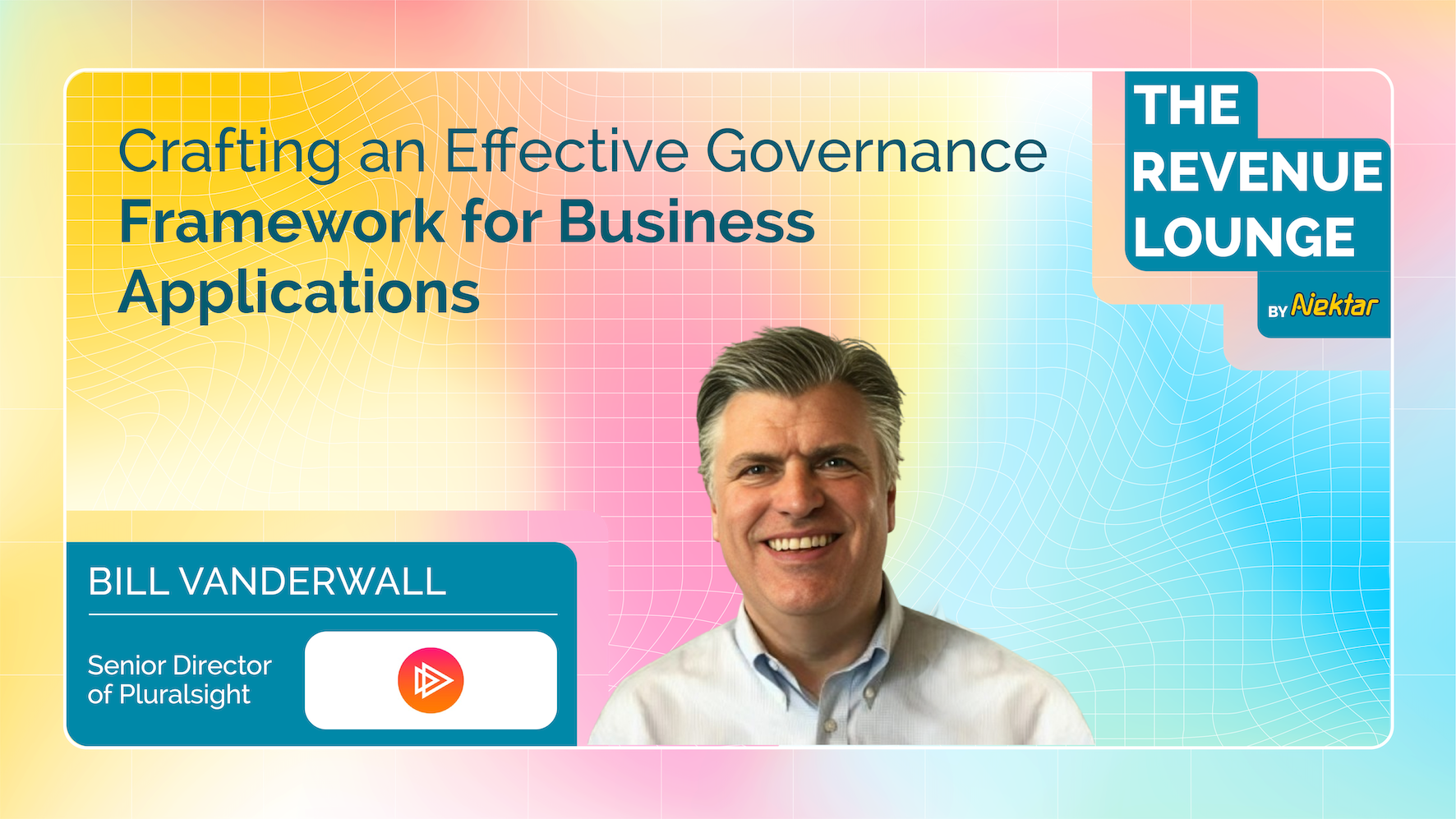

Crafting an Effective Governance Framework for Business Applications
A conversation with Bill Vanderwall, VP of Business Applications at Cision.
In the SaaS-driven world, businesses rely on dozens, sometimes hundreds, of applications to run sales, marketing, finance, HR, and customer success. From forecasting platforms to customer success dashboards, SaaS powers every corner of go-to-market.
But there’s a hidden cost: sprawl. Too many tools. Too many overlapping features. Too many silos.
Bill Vanderwall, former VP of Business Applications at Cision, has seen this story unfold at companies like Netscape, Marketo, and Malwarebytes. He’s helped organizations tame chaotic tech stacks, rationalize spend, and align SaaS with business outcomes. In this episode of The Revenue Lounge, Bill breaks down what a SaaS governance framework really looks like, why companies need one, and how to make it stick.
Why Governance is No Longer Optional
Bill recalls a time when business units could buy tools without involving IT. Sales teams bought engagement platforms. Marketing bought automation. Customer success bought onboarding solutions. Each tool solved a problem, but together, they created a fragmented landscape.
“At Marketo and Malwarebytes, I walked into companies where SaaS applications were being managed by the business. Data didn’t flow. Processes broke down. IT had to step in to bring some order.”
Governance, Bill explains, isn’t about slowing people down. It’s about creating balance. A good framework ensures:
Tools align with business strategy.
Data flows across departments.
Costs are rationalized.
Priorities are set at the right level.
The Two-Tier Governance Model
The heart of Bill’s playbook lies in a two-level governance structure — one that balances strategy with execution.
1. C-Level Steering Committee (Quarterly)
At the top, governance happens at the C-suite. This steering committee meets quarterly to set priorities and allocate IT resources.
Bill recalls his time at Malwarebytes, where the CFO drove discipline with a three-year plan:
“We’d identify the company’s top goals for the year — say, improving retention — and then align technology investments to achieve them. The C-level team agreed on the priorities, which eliminated politics and kept us focused.”
Governance Flow:
Company Strategy → Annual Operating Plan → C-Level Priorities → IT & SaaS Execution
2. Operational Committee (Monthly)
Beneath the steering committee sits a monthly operational group. This team handles smaller projects, integrations, and SaaS purchases that don’t require C-suite oversight.
Example: When a business unit wanted to adopt Gong, the committee vetted it to ensure fit with Salesforce architecture and estimated IT effort. Once approved, the business team owned administration while IT ensured smooth integration.
This layered approach creates agility without losing alignment.
Buy vs. Build: Choosing the Right Path
For years, companies wrestled with the “buy vs. build” debate. Bill says the equation has shifted:
“With so many best-of-breed solutions available today, buying is usually smarter — unless the capability is core to your product strategy.”
Buy vs. Build Decision Matrix
| Criteria | Buy | Build |
|---|---|---|
| Speed to Value | ✅ | ❌ |
| Cost Efficiency | ✅ | ❌ |
| Strategic Differentiator | ❌ | ✅ |
| Core Business Function | ❌ | ✅ |
| Maintenance Burden | ✅ | ❌ |
Taming SaaS Sprawl: Rationalization in Action
When Bill joined Marketo, he discovered four separate survey tools in use. Governance turned that chaos into a deliberate choice: one enterprise-grade tool, better aligned with business needs.
“Having a lot of applications isn’t automatically bad. But you need to ask: who’s using it, what’s it costing, and is there overlap? Rationalization is about making those calls — ideally before renewal cycles.”
Best Practices for Rationalization:
Inventory applications bi-annually.
Track usage vs. spend with monitoring tools.
Consolidate overlapping tools.
Align consolidation with strategic priorities.
The SaaS Sprawl Funnel:
270 Requests → Group by Themes → Prioritize by Impact → Approve via Governance → Rationalized Roadmap
Measuring ROI: Beyond Vendor Claims
Every SaaS vendor promises sky-high ROI. Bill is skeptical.
“Vendor ROI models are fine directionally, but they’re packed with soft dollars. You need to separate hard savings from fuzzy benefits — and focus on time-to-value.”
Key ROI Factors:
Hard Dollars: License savings, reduced churn, FTE efficiency.
Soft Dollars: Productivity gains, collaboration, user satisfaction.
Time-to-Value: How quickly can benefits show up?
“A little revenue growth can cover a lot of expenses. Time-to-value often matters more than a perfect ROI model.”
Data Quality: The Hidden Governance Layer
Bad data is every company’s silent killer. Bill has seen organizations simply “live with it.”
But governance frameworks can elevate data quality through:
Preventing duplicates at the source.
Using enrichment vendors like ZoomInfo.
Creating data lakes (Snowflake, Redshift) for cleansing and harmonization.
Data Quality Levers:
Front-End Governance → Enrichment Tools → Data Warehouse → Analytics → Business Impact
Managing Change: From Chaos to Control
Introducing governance to a free-for-all environment isn’t easy. Bill’s advice:
Start with quick wins (fix broken data flows, automate manual processes).
Build trust through partnership (don’t be draconian).
Celebrate outcomes (show how governance accelerates, not blocks).
“At Marketo, we allowed certain groups autonomy as long as they communicated and aligned. Governance isn’t about control — it’s about achieving the same objectives together.”
AI, Legal, and the Future of Governance
AI adds a new dimension: vendors want access to customer data to train models. Legal wants to block everything. IT sits in the middle.
Bill’s advice:
Get legal, vendors, and engineers on the same call to negotiate.
Clarify data usage rights, anonymization, and safeguards.
Accept that not every situation is black and white.
AI Vendor Risk Checklist:
Will my data train your models?
Is data anonymized?
What security guarantees exist?
Can we opt out?
Best-of-Breed vs. Platforms: The Consolidation Tradeoff
With budgets tightening, platform consolidation is tempting. But Bill is cautious:
“Most companies are still best at the thing they started with. Platforms may catch up, but best-of-breed usually wins — unless platform efficiency outweighs the feature gap.”
Template: Platform vs Best-of-Breed Scorecard
| Criteria | Platform | Best-of-Breed |
|---|---|---|
| Cost Savings | ✅ | ❌ |
| Feature Depth | ❌ | ✅ |
| Integration Ease | ✅ | ✅ |
| Scalability | ✅ | ✅ |
| Innovation Pace | ❌ | ✅ |
Vendor Maturity: Balancing Risk and Innovation
Should companies bet on a young, innovative vendor? Bill says it depends:
Mission-critical tools → Choose mature, established vendors.
Efficiency-enhancers → Safer space to experiment with newer players.
Part of the governance model includes vendor maturity checks: D&B reports, leadership profiles, financial stability.
Final Takeaway: Governance as a Growth Enabler
Governance is often misunderstood as bureaucracy. Bill’s career proves otherwise.
“Don’t be heavy-handed. Governance is about trust, alignment, and impact. The right framework makes SaaS a growth enabler, not just a cost center.”
By combining strategic C-level oversight with tactical operational committees, organizations can control sprawl, improve data quality, manage risk, and align technology with their most important business outcomes.
Want to hear more stories from revenue leaders? Subscribe to The Revenue Lounge podcast to never miss an episode!
More Resources

Top 15 Guided Selling Tools for 2025
Top 15 Guided Selling Tools for 2025 RevOps 10 min Imagine that you are planning to build a new house but are unsure where to start. You have a basic idea of what you want but are not an expert in home construction or design. In such a situation, you would need a skilled architect who understands your needs, preferences, and budget and then guides you through designing your dream home. The architect would help you make informed decisions about your new home’s design, materials, and features. Similarly, a guided selling tool uses customer data and sales expertise to help customers navigate the purchasing process and make informed decisions. It can provide personalized recommendations based on the customer’s needs and preferences, answer questions, and offer advice to help them choose the right product or service. What is Guided Selling? Guided selling is a strategy involving a structured approach to lead potential customers through the sales process. It is the process of analyzing current sales, historical sales, and customer data to help sales reps provide tailored product recommendations to customers and increase the likelihood of conversion. Let’s say you are shopping for a new laptop. You visit a website that offers guided selling, and you’re prompted to answer a series of questions. The questions might include things like: What will you primarily use the laptop for? Do you need a large screen or a lightweight design? How important is battery life to you? What is your budget? Based on your responses, the website would then recommend a few different laptops that meet your needs. It might provide detailed information about each laptop, such as the processor, RAM, and storage capacity, as well as customer reviews and ratings. The website might offer additional guidance, such as recommending accessories or providing information on warranties and support. Throughout the process, the focus is on helping you make an informed decision based on your unique needs and preferences. Guided selling can be particularly effective for complex or high-value products or services where customers may require more personalized guidance and support to make informed purchasing decisions. By providing a more consultative sales approach, guided selling also helps to establish long-term customer relationships. How Does Guided Selling Work in B2B SaaS In B2B SaaS, guided selling typically involves a sales representative or a customer success manager who guides the customer. The process usually begins with the customer expressing their needs and goals and the guide using that information to suggest relevant products or services. The guide may use various tools, such as a software demo, to help the customer understand the features and benefits of each option. In addition, guided selling often involves providing educational resources to the customer to help them better understand the product or service and how it can help them achieve their goals. This may include case studies, white papers, or other content that provides valuable insights into the benefits and use cases of the product. Let’s have a look at the guided selling process in detail: The Process of Guided Selling Tools The guided selling process is a customer-centric approach to sales that involves guiding potential customers through the buying process by providing personalized recommendations, advice, and support. The following are the general steps involved in a typical guided selling process: 1. Gathering customer information The first step of the process involves collecting data on the customer’s needs, preferences, budget, and any other relevant information that can help the sales process. 2. Identifying customer pain points In this stage, the sales team uses the information gathered in the previous stage to identify the customer’s pain points or areas of concern.This is typically done through a series of questions or a needs assessment. 3. Providing product recommendations Based on the customer information and pain points identified, the sales team provides recommendations on the products or services that best meet the customer’s needs. 4. Presenting solutions At this stage, the sales team presents the recommended products or services to the customer and explains how they address the customer’s pain points. The sales representative provides information about the recommended products or services, including their features, benefits, and pricing. 5. Handling objections If the customer has any objections or concerns, the sales team addresses them and provides additional information or alternative solutions as needed. 6. Closing the sale Once the customer is satisfied with the recommended product or service, the sales team closes the sale by facilitating the purchase process. 7. Follow-up and customer support After the sale is complete, the sales team provides follow-up support to ensure the customer is satisfied with their purchase and offers any additional assistance or support as needed. Examples of Guided Selling Tools in Businesses Here are some examples of techniques of guided selling tools: 1. Automate sales playbook To ensure consistent performance, sales playbooks should be automated. Guided selling relies on a solid foundation of methodologies, blueprints, and plays that facilitate the sales process. It’s important to choose a solution that simplifies the playbook for sellers, allowing them to follow the plan and consistently advance deals easily. 2. Identify specific needs In some situations, customers may need a clearer idea of what they are looking for when they visit your website. In such cases, a brief questionnaire can be used to determine and guide their specific requirements. For instance, if you run an online clothing store, you could ask customers questions about their preferred fit and fabric to steer them toward products that best match their preferences. This approach can increase the likelihood of a purchase by helping customers make informed decisions based on their needs. 3. Real-time response For a guided selling software to be effective, it needs to be adaptable and flexible, able to react to changing circumstances in real time. At a fundamental level, ensuring that sales representatives remain attentive to communication and other sales activities can reduce the time it takes to close deals and result in higher revenue velocity. In other cases,
A 30-60-90 Day Guide for First-Time Directors of Revenue Operations
A 30-60-90 Day Guide for First-Time Directors of Revenue Operations RevOps 10 min Starting a new job as a Director of Revenue Operations is an exciting opportunity to make a significant impact on a company’s revenue growth. To ensure success in this role, it’s essential to have a strategic plan that guides your actions during the crucial first three months. Here’s a 30-60-90 day plan that will help you strategically manage revenue operations and drive sustainable growth. We recently spoke to Hassan Irshad, Director of RevOps at FEVTutor. He shared his approach to this powerful framework, demonstrating how each phase (30, 60, and 90 days) builds strategically upon the last to deliver alignment, trust, and sustained improvement. By breaking down complex goals into achievable milestones, the 30-60-90 day approach empowers RevOps leaders to initiate meaningful change without overwhelming teams. For all the RevOps leaders, it’s a way to approach change with purpose, driving measurable impact and laying the groundwork for long-term success. The 30-60–90 day framework must be an indispensable tool and here is how you can implement progressive, sustainable growth strategies from day one. First 30 days for a Director of Revenue Operations The purpose should be to gather insights and understand the organization, especially the needs and challenges of different teams. 1. Goals for first 30 days: i. Meet Key Stakeholders Meet with cross departmental teams like Finance, HR, and Sales to understand their goals, challenges, and priorities. ii. Document Everything Create a “lay of the land” document summarizing findings on different team goals, challenges, and processes. iii. Understand the Product Take product demos, listen to sales calls, and use tools that show how the product is sold. This helps in understanding the customer needs better. iv. Dive into Your CRM Understand your CRM (whether Salesforce or HubSpot) to assess how the data is organized. This is to check whether it’s easy to use, and identify immediate improvements. The CRM should be the central source of truth, with other tools supporting it. The data should be unified with easier adoption for the teams. v. Build Trust Internally Establish trust within your teams by listening carefully, asking questions about how RevOps can help, and addressing quick fixes to show you’re there to help. Having this trust shows them that you’re here to support their success. Quick wins, such as small fixes that make people’s jobs easier, helps in establishing credibility early. 2. Establish Clear KPIs i. Understanding Team KPIs It is important to ask you stakeholders about the KPIs that matter to understand their goals and what their expectations are. ii. Aligning KPIs Across Teams Different departments oftentimes work in silos. RevOps should strive to align these departments and check if these KPIs match the overall business objectives. Gaps must be closed if their KPIs don’t align. iii. Setting RevOps KPIs As you approach the end of the first 30 days, start establishing RevOps-specific KPIs that match company goals, which may involve metrics like revenue increase, conversion rates, or improvements in overall efficiency. 3. Tech Stack Audit Deep dive into the existing tools that your company is using. Identify all redundancies, and find opportunities to streamline the entire tech stack. i. Map Out Tools Compile a list of all tools used by teams, noting their purpose and how they work with the CRM. ii. Evaluate Use and Cost Determine if tools are actively used or if there are duplicates. Look for cost-saving opportunities by consolidating tools when possible. https://www.youtube.com/watch?v=sVDJ9KI1tGw&t=869s Next 30 days – Alignment and Control The next 30 days marks a shift from discovery to alignment. The goals should be to create cohesion between departments (e.g., Sales, Marketing) and laying down effective controls. The improvements need to be implemented without overwhelming the teams. This phase combines further exploration with actionable improvements with the primary task being bringing the teams into sync. 1. Ways to bring your teams together i. Encouraging cross-team collaboration by addressing silos and ensuring all teams work toward shared quarterly or company-wide goals. ii. By creating alignment, you help teams see RevOps as a support system rather than an enforcer. This keeps communication channels open and creates buy-in. iii. Based on your findings, introduce controls wherever needed to improve workflow. Example: If close dates aren’t being recorded properly, this could skew reports. Meet with sales, identify the root cause (e.g., manual data entry that is taking too much of a reps’ time), and provide solutions or tools to make their tasks easier. Ensure that controls are practical and developed with the trust built in the first 30 days. Foster internal consensus within teams so that these improvements are adopted seamlessly. 2. Navigate Organizational Politics (i) Barrier Removal Larger organizations may have internal politics or ingrained processes that resist change. Find an internal “sponsor” who trusts and supports RevOps initiatives and can authorize actions to navigate any resistance. (ii) Trust and Consistency As you implement changes, make sure your efforts consistently demonstrate how RevOps can make work easier and more efficient for everyone. 3. Evolving the Tech Stack (i) Assessing Tech Needs If tools aren’t fully integrated (e.g., a tool not writing data back to the CRM), identify their gaps and consider evolving the tech stack. (ii) Holistic View Use insights from the discovery and alignment phases to start envisioning necessary tech improvements that align with company goals. Beginning of the 90-Day Phase: Vision and Execution This phase, described as “Vision and Execution,” involves shaping and executing a strategy based on insights gathered from the discovery and alignment phases. a. Roadmap Creation Create a roadmap covering the next two quarters, focusing on long-term, high-impact changes that align with business goals. Use learnings based on stakeholder needs, organizational goals, and the findings from the first 60 days i. Set Priorities Collaborate with end users (Sales, Marketing, Customer Success) to understand their pressing needs and align the roadmap with these needs. ii. Strategic Execution Prioritize initiatives that will have immediate revenue impact or

Top 10 Relationship Intelligence Tools for 2025
Top 10 Relationship Intelligence Tools for 2025 RevOps 10 min When it comes to sales, building strong relationships is essential. But let’s face it, the process can be incredibly time-consuming and demands a significant amount of effort from the sales reps. But here’s the kicker: Today, 44% of millennial buyers prefer minimal contact with a sales rep during the buying process. That means your sales rep has ~5% of the prospect’s time to establish a connection. It’s tougher than ever to develop relationships from a seller’s point of view. Does this mean that your reps should stop building relationships? Should your reps just try and sell whatever they can to whoever you find? The answer to that is a resounding NO. In the digital era, data and insights are what drive sales . They have the potential to give out more information than you know about your prospects. CRMs capture all possible data, churning it and spurting out information that otherwise was not visible earlier. But wait. There’s more to sales success than your CRM. To truly understand your prospects, you need to dig deeper to uncover hidden insights to help close your deals faster. That means mining your CRM data for a wealth of valuable information that will give you a competitive edge. This is exactly what relationship intelligence does. What is a Relationship Intelligence Tool? Picture this: You have access to a wealth of data from your clients, colleagues, and partners, but it’s scattered across various touchpoints like emails, phone calls, messages, meetings, and more. How do you make sense of all that information? That’s where relationship intelligence comes in. By pooling in, processing, and analyzing all that data, relationship intelligence technology provides invaluable insights, builds stronger relationships, and helps you make smarter decisions. With relationship intelligence, you can discover a treasure of data-driven and actionable insights that support the organization’s understanding of the customer, identify the optimal solutions, and determine the best communication strategies. This results in a more tailored and informed approach to prospects to maximize the best chance of a positive outcome. Your prospects are more than just a phone number or an email. Relationship intelligence broadens your potential and plays a strong role in connecting the dots from other sources. It supplements your CRM, finding other & useful opportunities to close prospects, otherwise not visible to us. Why Does a Relationship Intelligence Tool Matter? Enterprise-based selling in B2B is no walk in the park. With a plethora of relationship intelligence tools out in the market, organizations are spoilt for choice. However, tools that leverage AI/ML, offering data-driven intelligence with invaluable and actionable insights, will be the ones that will dominate the market. On the flip side, the process of onboarding a tool no longer rests in the hands of a single decision-maker. Gartner states that the number of buyers involved in the last decade has increased from 5 to 20. A potential account will have multiple stakeholders who will be involved in the decision-making process. Hence, it becomes critical for sales reps to identify and engage with key stakeholders regularly. With the rise of digital selling, organizations can now track the process of selling in a more in-depth manner. All forms of digital outreaches and communication with prospects can now be tracked, analyzed, and acted upon with the help of relationship intelligence. Today, with markets being down and companies being extremely meticulous in their choice of tools to invest, having a relationship intelligence tech stack will be the game-changer. Here’s how 1. Showcasing a single view of all your relationships with your prospects Having relationship intelligence data will bring together all the stakeholders in one view, so sales reps have a clear idea of the sales cycle the account is currently in. 2. Identify every stakeholder involved With the buying process evolving constantly, the final decision often lies not with one but multiple owners. In other words, for a sales rep, multithreading is the best way forward. And in this process, it’s very easy to confuse the right person to engage with, especially if there is a handover involved. Sales reps often fail to map out the stakeholders involved. The dots are not connected and not visible, which can lead to confusion and no clarity to other higher authorities. Relationship intelligence tools fill these gaps. It will identify each & every stakeholder involved at every stage of the selling process, bring them together, and map out the relationship of each, and provide all the information about these stakeholders. Not only that, but the data also provide insights to those who are frequently engaging and also point out the next best champion to continue the sales process seamlessly if the key decision maker is unavailable at any stage of the sales process. 3. Give detailed insights about each prospect The thing about relationship intelligence tools is that not only do they provide details in one place, but they also show you the best possible way to contact and reach out to your prospects. It can be email, phone calls, or video calls; it will give you solutions that are sure to boost your process of converting. 4. Recover lost leads In the world of sales, not all leads or prospects will convert. If the target is to convert 2 leads in a month with a value of X, sales reps need to build a pipeline of at least 10 leads with a value of 10X. This results in 8 leads that will not convert or be disqualified or lost in the process. However, these 8 leads don’t have to be lost forever. With relationship intelligence, you can identify the most engaged buyers and reignite the relationship with them. And here’s the kicker: the relationship intelligence technology considers all the data even before onboarding the tool. This kind of intelligence will only unleash hidden superpowers for your sales reps. Who knows, your lost prospect’s business priorities might have changed over time, and getting back to them might just make all the difference. 4. Discover trends in