


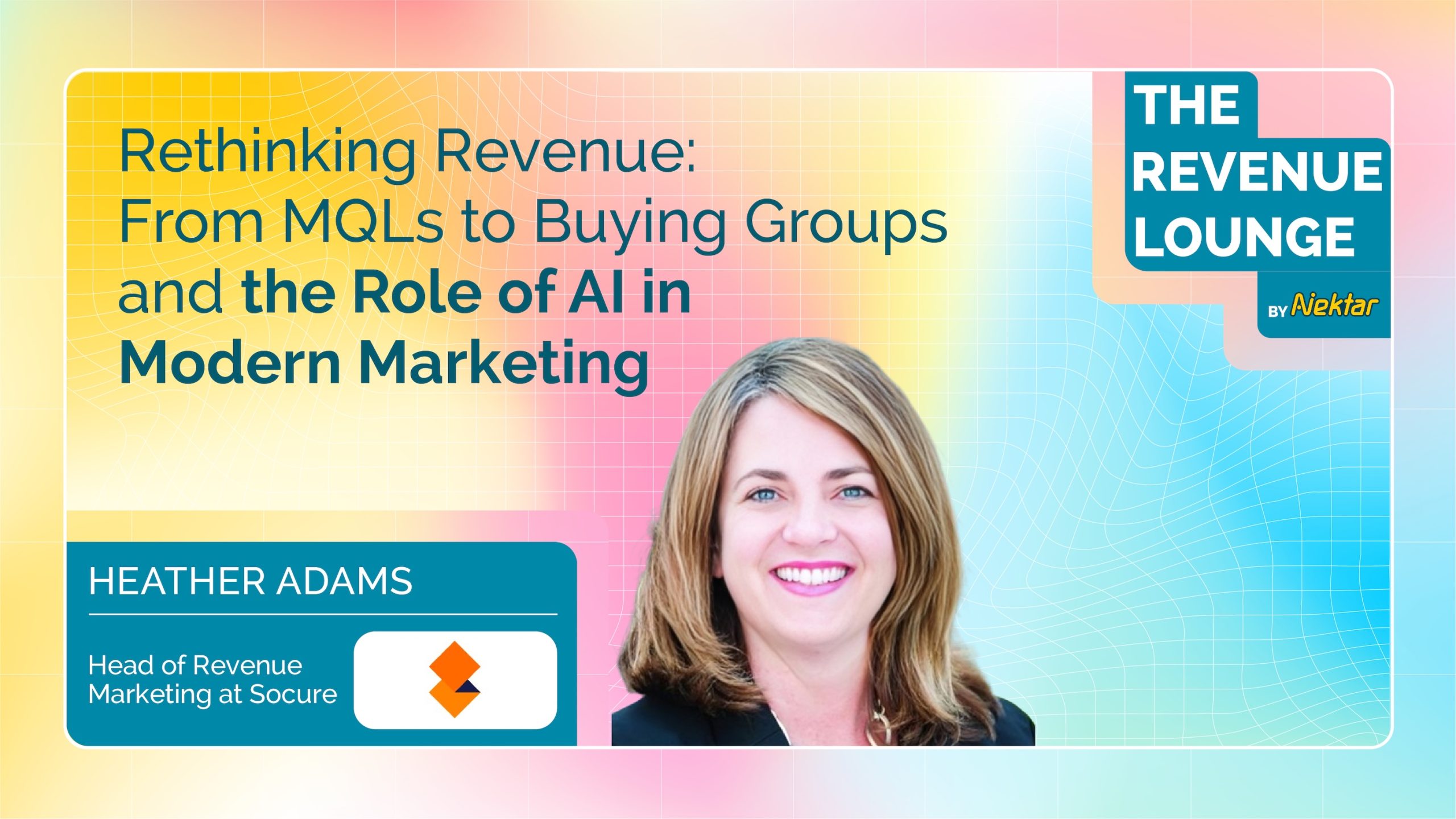

From MQLs to Buying Groups: How Socure is Building the Future of Revenue Marketing
A conversation with Heather Adams, Head of Revenue Marketing at Socure.
In today’s B2B landscape, the way companies buy has changed dramatically. But many revenue teams are still stuck using outdated tactics. The classic MQL (Marketing Qualified Lead) model is no longer fit for purpose. It focuses on individuals, when buying decisions now happen in groups. It relies on form fills, while buyers prefer stealthy research. It counts leads, when what matters is engagement across an entire account.
“A single-threaded, one-person conversion is not what you should base your future revenue success on.” — Heather Adams
In this blog, we unpack Heather Adams’ playbook for replacing MQLs with a buyer group-first strategy at Socure. It’s a journey that includes tight sales-marketing alignment, AI-powered personalization, and a deep commitment to clean, actionable data.
Why MQLs No Longer Work
MQLs were once a breakthrough. They gave marketing a way to track conversions, measure impact, and hand off leads to sales. But in the modern enterprise deal cycle, they often miss the mark.
Key Limitations of MQLs:
Too Narrow: Often capture one person’s interest, not the whole buying committee.
Reliant on Form Fills: Many buyers now avoid forms entirely.
Misleading Signals: Early research from junior roles gets mistaken for high-intent activity.
“We knew we had 10–15 people involved in a six or seven-figure decision. We needed to engage the whole group—not just whoever downloaded the whitepaper.”
Socure realized that chasing MQLs was like trying to understand a forest by examining one leaf. It doesn’t work when the real value lies in the entire ecosystem.
Introducing a Buyer Group-First Strategy
Instead of measuring success by individual actions, Heather’s team shifted to tracking account-level engagement and buyer group coverage. That meant aligning across functions and changing the KPIs they reported on.
The Cadence That Changed Everything
At the heart of the shift is a weekly sync between:
Campaign leader
Market Development Rep (MDR)
Account Executive (AE)
Each team member brings insights to the table, driven by:
First-party engagement data
Third-party intent signals
Buyer group activity
“When we meet, we ask: What are the tasks for the AE, the MDR, and marketing? What was successful last week? What do we try next?”
This regular collaboration removed silos and drove accountability.
Old vs. New Metrics
| Traditional Metrics | Modern Metrics |
|---|---|
| MQL volume | Account engagement |
| Form fills | Buyer group coverage |
| Single touch attribution | Pipeline influence by persona |
Redefining Success Metrics
Heather’s team moved away from individual attribution and started tracking:
Account-level engagement scores
Persona coverage within buying groups
Pipeline impact across functions
“We built dashboards to show where our buyer group coverage is strong and where it’s lacking. It helps us spot gaps and optimize outreach.”
They also eliminated credit-seeking by creating a combined GTM pipeline metric presented to executive leadership and the board.
Getting Sales on Board
Changing KPIs is one thing. Changing minds is another. Heather emphasized the importance of trust and early wins.
“We had a few AEs who leaned in early. When they saw results, others followed. Success breeds success.”
Rather than waiting for sales to add contacts to Salesforce, marketing and MDRs built a draft buyer group for each target account. Sales only needed to review and refine—a low-lift ask that accelerated adoption.
The Role of Technology and Data
Heather’s stack includes:
6sense for buyer intent and keyword tracking
Drift for ABM-focused chatbot experiences
Champion tracking tech to re-engage known contacts in new roles
Custom GPTs to scale personalization across verticals and personas
But tech alone wasn’t enough. Data quality had to improve.
“Our data was everywhere—Slack, Salesforce, Clari, GDrive. We had to build pipes, clean the data, and use AI to make sense of it.”
Infographic: The Buyer Group Engine A visual of inputs (intent signals, past champions, firmographics) flowing into tools (6sense, Drift, GPTs), leading to outputs (personalized engagement, buyer group completeness, pipeline growth).
Early Results and Wins
With the new model, Socure saw:
2.5x YoY lift in sourced deal quality
80% of pipeline from named accounts
Increased deal size and strategic fit
They also moved to 100% AI-assisted personalization at scale, saving time and boosting message relevance.
“We’re using our AI agents to identify lookalike accounts, research stakeholders, and draft persona-specific messaging. It’s a huge unlock.”
AI: The Personalization Force Multiplier
Heather’s team is using AI for:
Prompt optimization
Buyer group discovery
Personalization at scale
Intent-to-outreach orchestration
“The only limitation is how well you prompt. Sometimes we use AI to help us write better prompts.”
They’re currently building agentic workflows that connect flows from Slack to Salesforce to outreach platforms, enabling near-autonomous buyer group engagement.
Advice for Revenue Leaders
For those looking to champion a similar shift, Heather’s advice is simple:
Start with trust: “Build real relationships with your sales team.”
Show data: “Sellers know MQLs don’t work. Bring the evidence.”
Make it easy: “Bring the first version of the buyer group to the table.”
Think in systems: “Map engagement across teams, not in silos.”
Conclusion: The Future of Revenue Marketing
The era of MQLs is ending. In its place, a more holistic, buyer-aligned, AI-powered strategy is taking hold. At Socure, Heather Adams and her team are showing what’s possible when marketing evolves from lead generation to buyer group orchestration.
This isn’t a cosmetic change. It’s a fundamental reinvention of how pipeline is created, measured, and accelerated.
TL;DR: Heather’s Buyer Group Framework
Weekly syncs across GTM roles
Account and persona-level metrics
Tech-powered orchestration with 6sense, Drift, and AI
Clean, centralized data across sources
Cross-functional trust and transparency
“If we don’t figure this out quickly, we’re going to get left behind.”
Want to hear more stories from revenue leaders? Subscribe to The Revenue Lounge podcast to never miss an episode!
More Resources

How to Strategically Engage and Conquer Buying committees
Delve into the complexities of engaging buying groups and unveiling strategic approaches to conquer the challenges that arise. In Sales, the key to accelerating deals lies in understanding the nuances of buying group dynamics.
Top 15 Guided Selling Tools for 2025
Top 15 Guided Selling Tools for 2025 RevOps 10 min Imagine that you are planning to build a new house but are unsure where to start. You have a basic idea of what you want but are not an expert in home construction or design. In such a situation, you would need a skilled architect who understands your needs, preferences, and budget and then guides you through designing your dream home. The architect would help you make informed decisions about your new home’s design, materials, and features. Similarly, a guided selling tool uses customer data and sales expertise to help customers navigate the purchasing process and make informed decisions. It can provide personalized recommendations based on the customer’s needs and preferences, answer questions, and offer advice to help them choose the right product or service. What is Guided Selling? Guided selling is a strategy involving a structured approach to lead potential customers through the sales process. It is the process of analyzing current sales, historical sales, and customer data to help sales reps provide tailored product recommendations to customers and increase the likelihood of conversion. Let’s say you are shopping for a new laptop. You visit a website that offers guided selling, and you’re prompted to answer a series of questions. The questions might include things like: What will you primarily use the laptop for? Do you need a large screen or a lightweight design? How important is battery life to you? What is your budget? Based on your responses, the website would then recommend a few different laptops that meet your needs. It might provide detailed information about each laptop, such as the processor, RAM, and storage capacity, as well as customer reviews and ratings. The website might offer additional guidance, such as recommending accessories or providing information on warranties and support. Throughout the process, the focus is on helping you make an informed decision based on your unique needs and preferences. Guided selling can be particularly effective for complex or high-value products or services where customers may require more personalized guidance and support to make informed purchasing decisions. By providing a more consultative sales approach, guided selling also helps to establish long-term customer relationships. How Does Guided Selling Work in B2B SaaS In B2B SaaS, guided selling typically involves a sales representative or a customer success manager who guides the customer. The process usually begins with the customer expressing their needs and goals and the guide using that information to suggest relevant products or services. The guide may use various tools, such as a software demo, to help the customer understand the features and benefits of each option. In addition, guided selling often involves providing educational resources to the customer to help them better understand the product or service and how it can help them achieve their goals. This may include case studies, white papers, or other content that provides valuable insights into the benefits and use cases of the product. Let’s have a look at the guided selling process in detail: The Process of Guided Selling Tools The guided selling process is a customer-centric approach to sales that involves guiding potential customers through the buying process by providing personalized recommendations, advice, and support. The following are the general steps involved in a typical guided selling process: 1. Gathering customer information The first step of the process involves collecting data on the customer’s needs, preferences, budget, and any other relevant information that can help the sales process. 2. Identifying customer pain points In this stage, the sales team uses the information gathered in the previous stage to identify the customer’s pain points or areas of concern.This is typically done through a series of questions or a needs assessment. 3. Providing product recommendations Based on the customer information and pain points identified, the sales team provides recommendations on the products or services that best meet the customer’s needs. 4. Presenting solutions At this stage, the sales team presents the recommended products or services to the customer and explains how they address the customer’s pain points. The sales representative provides information about the recommended products or services, including their features, benefits, and pricing. 5. Handling objections If the customer has any objections or concerns, the sales team addresses them and provides additional information or alternative solutions as needed. 6. Closing the sale Once the customer is satisfied with the recommended product or service, the sales team closes the sale by facilitating the purchase process. 7. Follow-up and customer support After the sale is complete, the sales team provides follow-up support to ensure the customer is satisfied with their purchase and offers any additional assistance or support as needed. Examples of Guided Selling Tools in Businesses Here are some examples of techniques of guided selling tools: 1. Automate sales playbook To ensure consistent performance, sales playbooks should be automated. Guided selling relies on a solid foundation of methodologies, blueprints, and plays that facilitate the sales process. It’s important to choose a solution that simplifies the playbook for sellers, allowing them to follow the plan and consistently advance deals easily. 2. Identify specific needs In some situations, customers may need a clearer idea of what they are looking for when they visit your website. In such cases, a brief questionnaire can be used to determine and guide their specific requirements. For instance, if you run an online clothing store, you could ask customers questions about their preferred fit and fabric to steer them toward products that best match their preferences. This approach can increase the likelihood of a purchase by helping customers make informed decisions based on their needs. 3. Real-time response For a guided selling software to be effective, it needs to be adaptable and flexible, able to react to changing circumstances in real time. At a fundamental level, ensuring that sales representatives remain attentive to communication and other sales activities can reduce the time it takes to close deals and result in higher revenue velocity. In other cases,
A 30-60-90 Day Guide for First-Time Directors of Revenue Operations
A 30-60-90 Day Guide for First-Time Directors of Revenue Operations RevOps 10 min Starting a new job as a Director of Revenue Operations is an exciting opportunity to make a significant impact on a company’s revenue growth. To ensure success in this role, it’s essential to have a strategic plan that guides your actions during the crucial first three months. Here’s a 30-60-90 day plan that will help you strategically manage revenue operations and drive sustainable growth. We recently spoke to Hassan Irshad, Director of RevOps at FEVTutor. He shared his approach to this powerful framework, demonstrating how each phase (30, 60, and 90 days) builds strategically upon the last to deliver alignment, trust, and sustained improvement. By breaking down complex goals into achievable milestones, the 30-60-90 day approach empowers RevOps leaders to initiate meaningful change without overwhelming teams. For all the RevOps leaders, it’s a way to approach change with purpose, driving measurable impact and laying the groundwork for long-term success. The 30-60–90 day framework must be an indispensable tool and here is how you can implement progressive, sustainable growth strategies from day one. First 30 days for a Director of Revenue Operations The purpose should be to gather insights and understand the organization, especially the needs and challenges of different teams. 1. Goals for first 30 days: i. Meet Key Stakeholders Meet with cross departmental teams like Finance, HR, and Sales to understand their goals, challenges, and priorities. ii. Document Everything Create a “lay of the land” document summarizing findings on different team goals, challenges, and processes. iii. Understand the Product Take product demos, listen to sales calls, and use tools that show how the product is sold. This helps in understanding the customer needs better. iv. Dive into Your CRM Understand your CRM (whether Salesforce or HubSpot) to assess how the data is organized. This is to check whether it’s easy to use, and identify immediate improvements. The CRM should be the central source of truth, with other tools supporting it. The data should be unified with easier adoption for the teams. v. Build Trust Internally Establish trust within your teams by listening carefully, asking questions about how RevOps can help, and addressing quick fixes to show you’re there to help. Having this trust shows them that you’re here to support their success. Quick wins, such as small fixes that make people’s jobs easier, helps in establishing credibility early. 2. Establish Clear KPIs i. Understanding Team KPIs It is important to ask you stakeholders about the KPIs that matter to understand their goals and what their expectations are. ii. Aligning KPIs Across Teams Different departments oftentimes work in silos. RevOps should strive to align these departments and check if these KPIs match the overall business objectives. Gaps must be closed if their KPIs don’t align. iii. Setting RevOps KPIs As you approach the end of the first 30 days, start establishing RevOps-specific KPIs that match company goals, which may involve metrics like revenue increase, conversion rates, or improvements in overall efficiency. 3. Tech Stack Audit Deep dive into the existing tools that your company is using. Identify all redundancies, and find opportunities to streamline the entire tech stack. i. Map Out Tools Compile a list of all tools used by teams, noting their purpose and how they work with the CRM. ii. Evaluate Use and Cost Determine if tools are actively used or if there are duplicates. Look for cost-saving opportunities by consolidating tools when possible. https://www.youtube.com/watch?v=sVDJ9KI1tGw&t=869s Next 30 days – Alignment and Control The next 30 days marks a shift from discovery to alignment. The goals should be to create cohesion between departments (e.g., Sales, Marketing) and laying down effective controls. The improvements need to be implemented without overwhelming the teams. This phase combines further exploration with actionable improvements with the primary task being bringing the teams into sync. 1. Ways to bring your teams together i. Encouraging cross-team collaboration by addressing silos and ensuring all teams work toward shared quarterly or company-wide goals. ii. By creating alignment, you help teams see RevOps as a support system rather than an enforcer. This keeps communication channels open and creates buy-in. iii. Based on your findings, introduce controls wherever needed to improve workflow. Example: If close dates aren’t being recorded properly, this could skew reports. Meet with sales, identify the root cause (e.g., manual data entry that is taking too much of a reps’ time), and provide solutions or tools to make their tasks easier. Ensure that controls are practical and developed with the trust built in the first 30 days. Foster internal consensus within teams so that these improvements are adopted seamlessly. 2. Navigate Organizational Politics (i) Barrier Removal Larger organizations may have internal politics or ingrained processes that resist change. Find an internal “sponsor” who trusts and supports RevOps initiatives and can authorize actions to navigate any resistance. (ii) Trust and Consistency As you implement changes, make sure your efforts consistently demonstrate how RevOps can make work easier and more efficient for everyone. 3. Evolving the Tech Stack (i) Assessing Tech Needs If tools aren’t fully integrated (e.g., a tool not writing data back to the CRM), identify their gaps and consider evolving the tech stack. (ii) Holistic View Use insights from the discovery and alignment phases to start envisioning necessary tech improvements that align with company goals. Beginning of the 90-Day Phase: Vision and Execution This phase, described as “Vision and Execution,” involves shaping and executing a strategy based on insights gathered from the discovery and alignment phases. a. Roadmap Creation Create a roadmap covering the next two quarters, focusing on long-term, high-impact changes that align with business goals. Use learnings based on stakeholder needs, organizational goals, and the findings from the first 60 days i. Set Priorities Collaborate with end users (Sales, Marketing, Customer Success) to understand their pressing needs and align the roadmap with these needs. ii. Strategic Execution Prioritize initiatives that will have immediate revenue impact or